Content
25 September 2026
612
18 min
0.00
10 Shopify Marketing Automation Use Cases to Grow Revenue and Retention

Ivan Diulai
Content
Research shows that automated emails can make up 2% of all email sends. Yet, these 2% produce 30% of email-attributed revenue. That’s $2.87 per send, compared with $0.18 for scheduled campaigns.
The gap has little to do with copy. It all comes from timing. An automated message arrives when someone has just abandoned a cart, viewed the same product three times, or reached the end of a 30-day supply. A scheduled campaign arrives on Tuesday.
Below are ten Shopify use cases that consistently produce results, from cart recovery through loyalty. Where Shopify case studies document what one merchant achieved, a use case explains when the automation applies, what data it needs, and how to evaluate it. The last two sections cover how to build them on top of a customer data platform and where to start.
Why Marketing Automation Matters for Shopify Stores
Shopify is good at recording what happened in the store. Someone browsed a collection, added two items, reached checkout, paid, or didn't. If you're still deciding on a platform, our guide answers the question what is Shopify and covers the basics, while our comparison of the best ecommerce platforms adds broader context.
What the platform can't do fully on its own is decide what to say next. Baymard Institute's meta-analysis of 50 studies puts average cart abandonment at 70.22%. Seven in ten people who showed enough intent to add something to a cart walk away. Some of that is comparison shopping and will never convert. A meaningful slice is recoverable, and recovering it requires knowing who the person is, what they left behind, and whether they've since bought it somewhere else in your data.
A key feature that converts these buyers is personalized communication. To achieve that, you need better data, which is often disconnected and exists in different systems.
That's the job of a CDP. A bigger email list is not a solution, as it only scales poor data management. You need a layer that holds identity, behavioral data, purchase history, first-party data from your own store, and channel permissions in one place, then activates them. Revenue growth and customer retention both depend on it, and so does every one of the Shopify use cases below.
In Yespo, a single 360 customer profile can hold identifiers, order history, loyalty program attributes, customer lifetime value data, cart signals, and engagement across every channel you use. A stable external customer ID keeps the same shopper from splitting into three separate profiles.
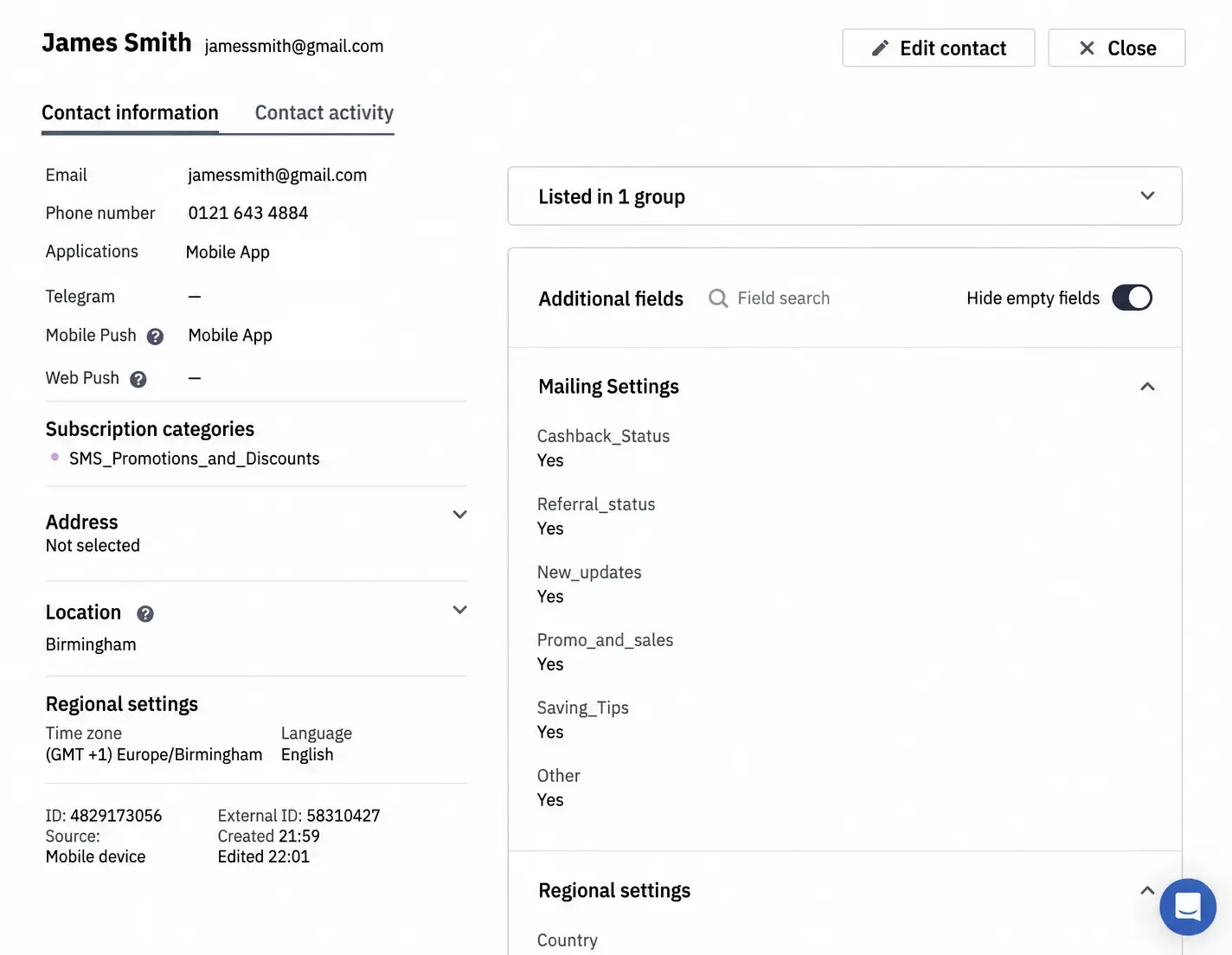
For a Shopify store, the practical outcome is that events like product views, category views, customer identification, cart status, and completed purchases become available as triggered workflows and as customer segmentation criteria. The message, product selection, timing, and channel can all change based on what someone actually did.
Abandoned Cart Recovery
This is one of the highest-yield automations in ecommerce marketing, and the one many stores run badly.
- Triggering condition: An identified shopper adds products and doesn't order within a set delay, like 30–60 minutes for the first touch.
- Logic: Suppress the flow the moment an order comes through. Cap how often the same person can re-enter. Branch on which channels are actually available for that contact. In Yespo, an abandoned cart recovery workflow runs off a dynamic segment that includes recent abandoned carts and excludes recent online orders, with timers and re-entry controls built into the workflow.
- Content: The first message should rebuild context, not lead with a discount. Include the product image, name, price, a direct link back to the cart, and reassurance about delivery and returns. Later touches can add reviews, alternatives, product recommendations, or a small incentive, if previous steps didn’t work.
I want to recover more abandoned carts
Most Shopify use cases have a ceiling set by something outside the workflow, and this one is the clearest example. Unexpected extra costs at checkout are the single largest removable reason people abandon, followed by slow delivery, security concerns about card data, and forced account creation. A recovery email can’t fix a surprise shipping fee. Work on the checkout first, then recover what's left.
- KPI: Recovered orders and recovered revenue per contact entered. Watch conversion rate, time to recovery, incentive cost, and complaint rate as diagnostics.
If you’d like to see some practical examples, check out this article.
Abandoned Browse and Product Viewed Triggers
Unlike cart abandonment, abandoned browse covers a much larger audience with weaker intent.
- Triggering condition: A known or matchable visitor views a product or category page, but doesn’t add to cart or buy.
- Logic: Give cart recovery priority — nobody should get a browse reminder and a cart reminder for the same product. Exclude recent purchasers. Keep the sequence shorter than cart recovery, usually one or two messages.
- Content: Show what they looked at, then widen slightly: similar items, bestsellers from that category, answers to the obvious objection. Tone here is especially important, so you don’t appear creepy. "Still thinking it over?" reads better than anything that reveals how closely you were watching.
In Yespo, you can use the product page event for abandoned browse and win-back workflows, while the category page event can promote popular-product blocks from the category someone was browsing.
- KPI: Incremental order rate instead of raw clicks. This is the use case where a control group matters most, because a share of these people would have come back anyway.
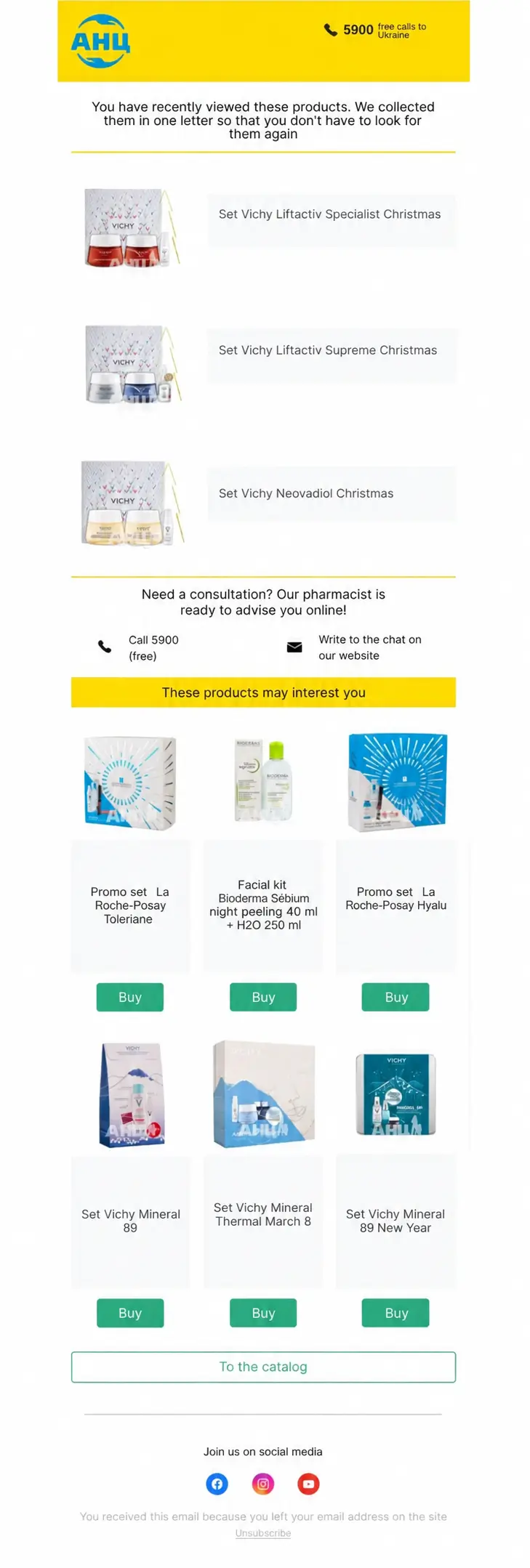
Learn how PUMA used the abandoned browse workflows for anonymous traffic here.
Welcome Series for New Shopify Customers
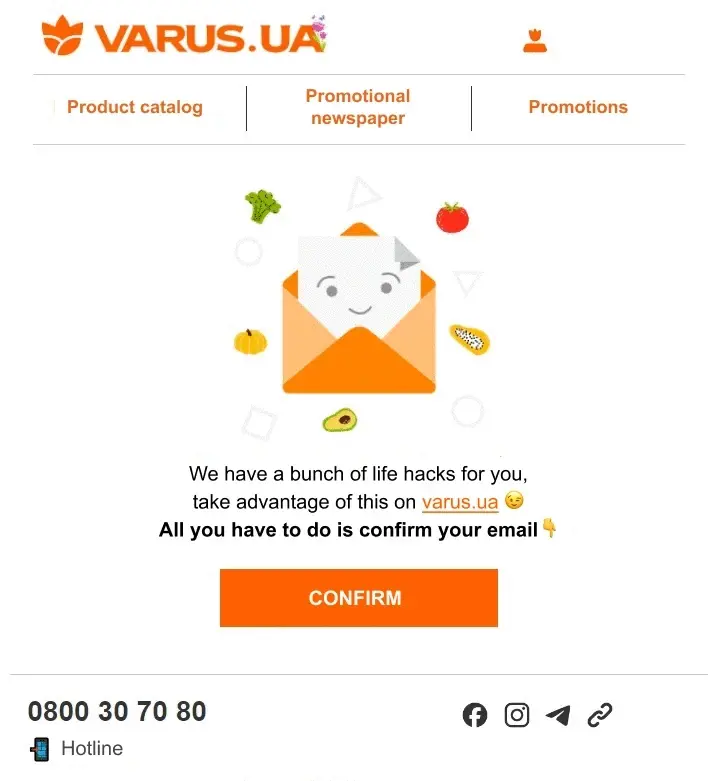
- Triggering condition: Confirmed subscription or account creation.
- Logic: Send whatever you promised at signup immediately — a delayed welcome discount or bonus is a broken promise. Then introduce the brand, the products people actually buy first, and any proof worth showing. Pull someone out of the promotional branch as soon as they purchase.
- Content: Three messages is a good starting point: fulfill the offer and set expectations, introduce the catalog with bestsellers, then remind or ask for preferences. That third message is a perfect source of zero-party data like category preference, size, frequency, or birthday. This makes every later automation better.
Welcome and abandoned cart flows together generate roughly 3/4s of all automation-driven orders. If you only build three automated email flows, pick these.
Yespo’s automated workflows support welcome series natively, and website widgets can start the onboarding flow and a double opt-in action in the same step.
- KPI: First-purchase conversion within a defined window. Then time to first order, revenue per new subscriber, and profile completion.
Personalized Product Recommendations
It’s not a standalone automation, but a feature that improves all other workflows.
- Triggering condition: It’s based on context rather than a single event: similar products on a product page, frequently bought together in cart, next-best-offer after purchase, category bestsellers for visitors you don't know yet. Advanced algorithms can do the heavy lifting.
- Data requirements: This use case has prerequisites. Yespo recommendation algorithms need web tracking plus a product feed. The feed can refresh as often as hourly, and a market feed can supply local availability and sale price when a contact holds the matching market ID. Availability and price filters matter too. A recommendation block showing a sold-out item hurts the customer experience.
I want to improve recommendations in my store
- Where it works best: Cross-sell and upsell blocks in post-purchase emails, recovered-cart messages, and triggered campaigns generally. Companies using personalization frequently report increased average order value, which supports the relevance of product recommendations.
- KPI: Incremental recommendation-attributed revenue against a control. Then items per order and average order value. Shopify case studies on product recommendations often report block CTR, which is the easiest metric to show, but it doesn’t directly reflect the impact on revenue.
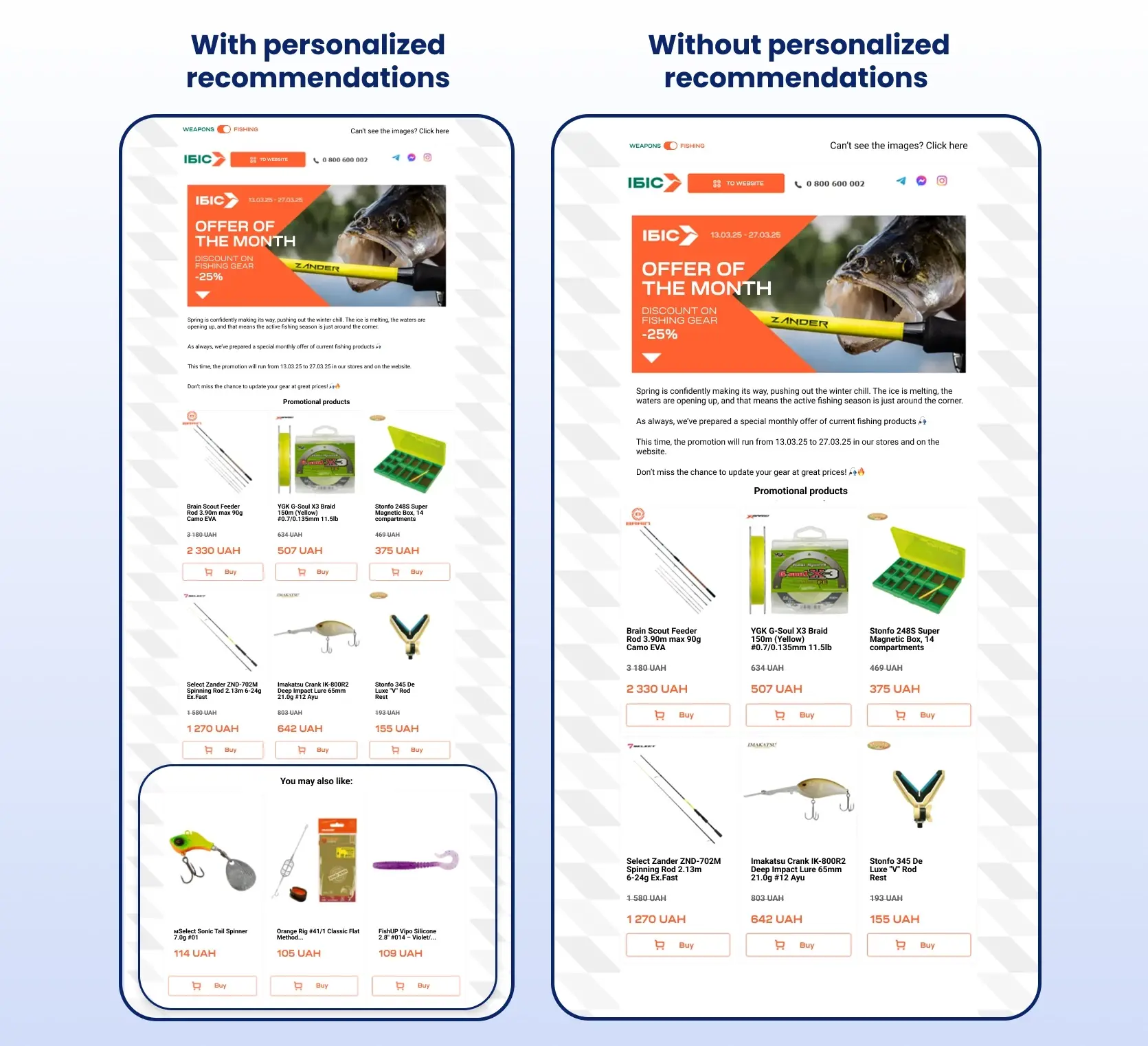
You can view some practical examples of product recommendations in this article.
Post-Purchase and Replenishment Flows
The order confirmation is the most-opened message you will ever send. Way too many stores waste this opportunity.
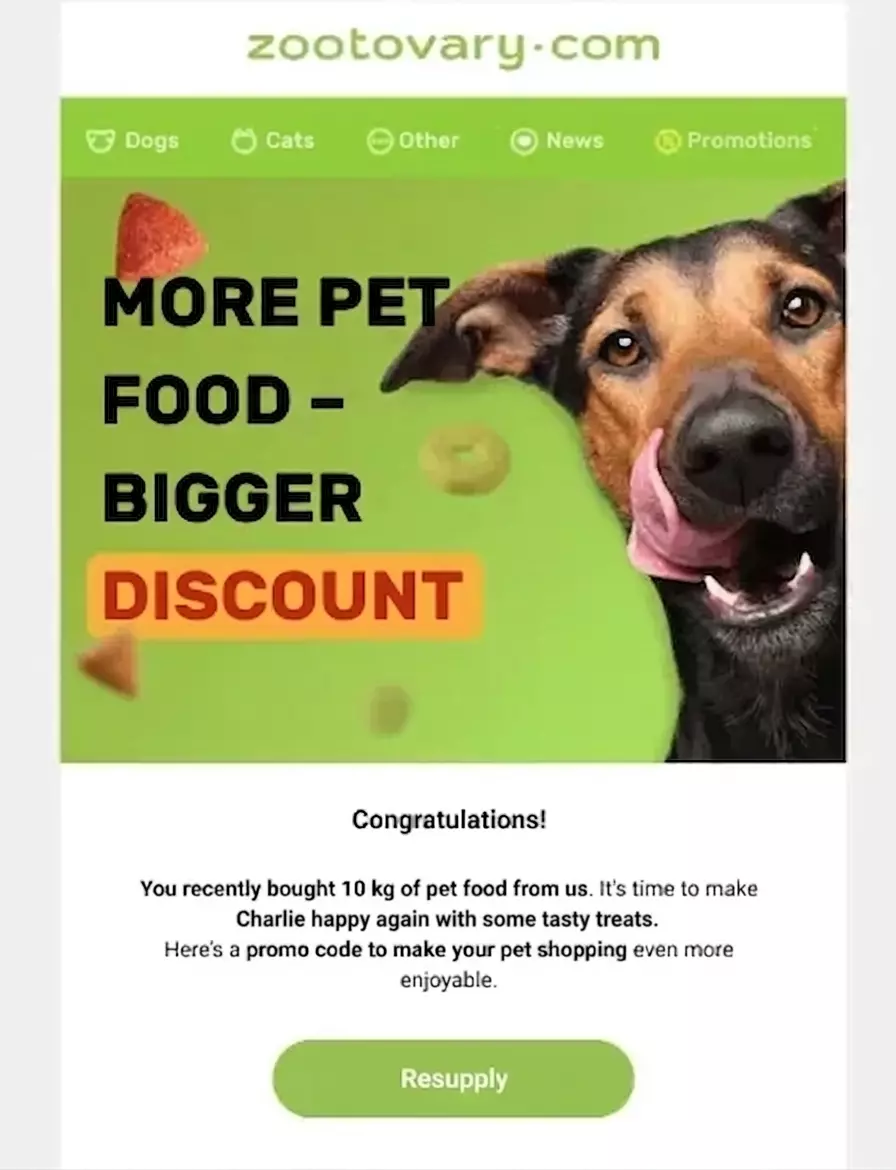
- Triggering condition: Order creation, then branches by first-time versus repeat buyer, product category, and expected consumption cycle.
- Logic: Keep transactional messages separate from marketing consent. Suppress the replenishment reminder if the customer has already reordered. Time the reorder prompt to the product's actual cycle, like 30 days for coffee, six months for filters, rather than applying one universal delay. In this case study, you can see how these recurring purchases can be handled in Yespo.
- Content: A full post-purchase flow: confirmation, shipping and tracking, delivery confirmation, care or setup advice, review request, complementary-product cross-sell, then replenishment. Shopify's own guidance puts the education message one to three days after delivery, which is when people are actually using the thing.
In Yespo, the dedicated event is used for popularity lists and upsell blocks. Event data and contact fields are used for dynamic content in email and short-form channels.
- KPI: Second-purchase rate, or on-time replenishment rate where the category has a clear cycle. Then days to second order and repeat purchase rate.
Win-Back and Reactivation Campaigns
- Triggering condition: Lapse, but defined relative to the category's purchase cycle, not a default 90 days. A customer who buys dog food monthly is at risk at week six. A customer who buys a mattress isn't considered lapsed after ten months.
- Logic: Segment on recency, frequency, monetary value, category, and prior responsiveness. Stop promotional outreach after a final step and sunset the address rather than sending forever.
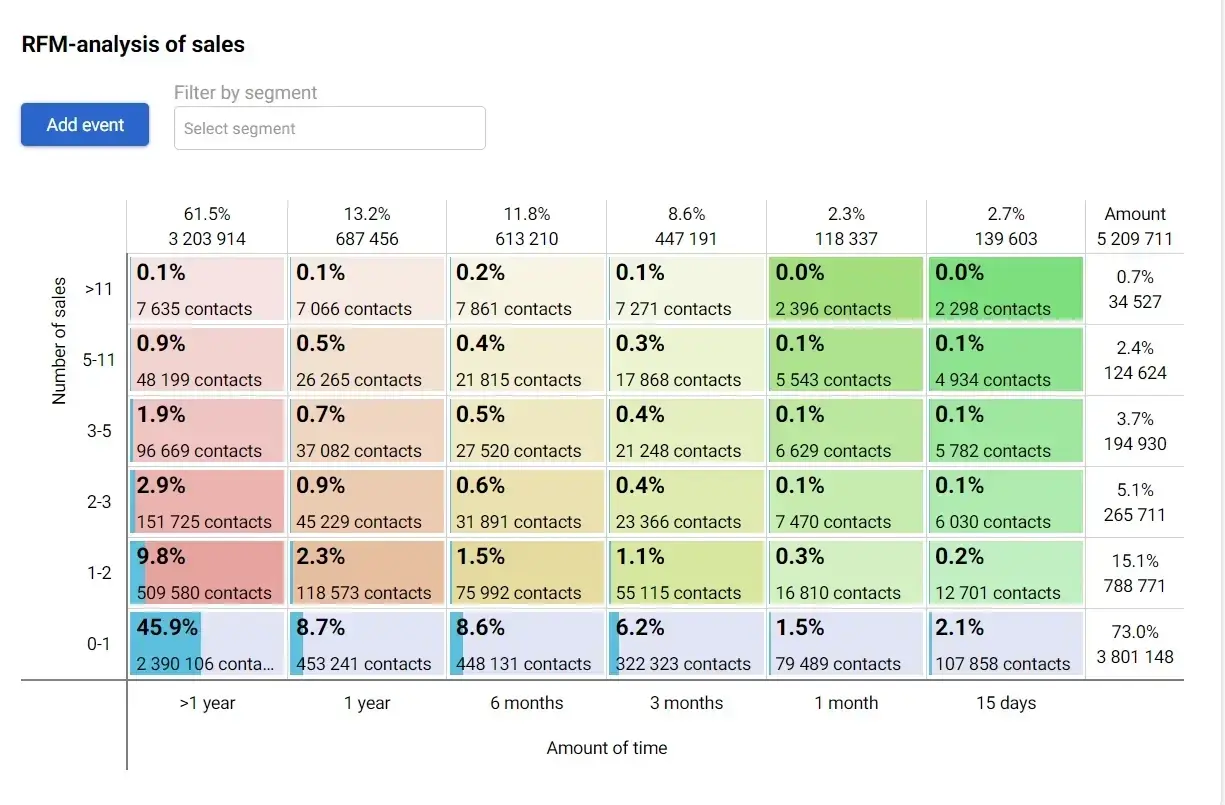
Yespo's RFM segmentation separates contacts by recency, frequency, and monetary value and can trigger an event when someone moves into an at-risk cell, launching the win-back campaign automatically. Predictive segmentation can improve the entire process by scoring churn likelihood rather than waiting for a fixed recency threshold to pass.
- Content: Lead with new arrivals, useful content, or a personalized reminder before reaching for a discount. Advance through a feedback request, free shipping, a product-specific offer, then a last-chance offer.
- KPI: Reactivated-customer rate and incremental reactivation campaign revenue, measured net of incentive margin. A win-back that returns customers below contribution margin is more of a “loss-back campaign”.
Birthday and Loyalty Automation
- Triggering condition: For birthdays, a dedicated collected date field. For loyalty, an event: joining, reaching a tier, earning a reward, approaching expiry, or crossing a spend threshold.
- Logic: Check recent purchases before sending a discount to someone who bought yesterday. Send the birthday email before the date with a reminder on the day, so there's time to use the offer.
Yespo supports dynamic birthday segments with workflow timers, and contact profiles can store loyalty points and other business-specific attributes that trigger workflows on milestones or tier changes.
- KPI: Offer redemption rate and VIP segment repeat-purchase rate. Then enrolment and tier progression.

Gamified Pop-ups and Lead Capture
- Triggering condition: Visitor context: new visitor, time on page, scroll depth, category viewed, exit intent, or campaign source.
- Logic: Frequency controls so returning visitors aren't hit repeatedly. Mobile-safe design. Transparent reward odds. Double opt-in where regulations require it, followed immediately by the welcome workflow.
Yespo provides no-code subscription, informer, request, launcher, and age-gate widgets with display rules, geotargeting, annoyance safeguards, post-submit actions, and A/B testing. The gamification component covers mechanics including spin-the-wheel, gift box, scratch card, slot machine, and treasure hunt, with configurable odds and reward types.
A promo code issued through a Yespo widget can be applied automatically at Shopify-specific checkout, with nothing for the customer to copy or paste.
- KPI: Confirmed subscription rate, not raw form submissions. Then valid-contact rate, first-purchase rate, and revenue per captured contact. Shopify case studies tend to report submission counts, which flatter the mechanic and say nothing about whether those contacts bought.
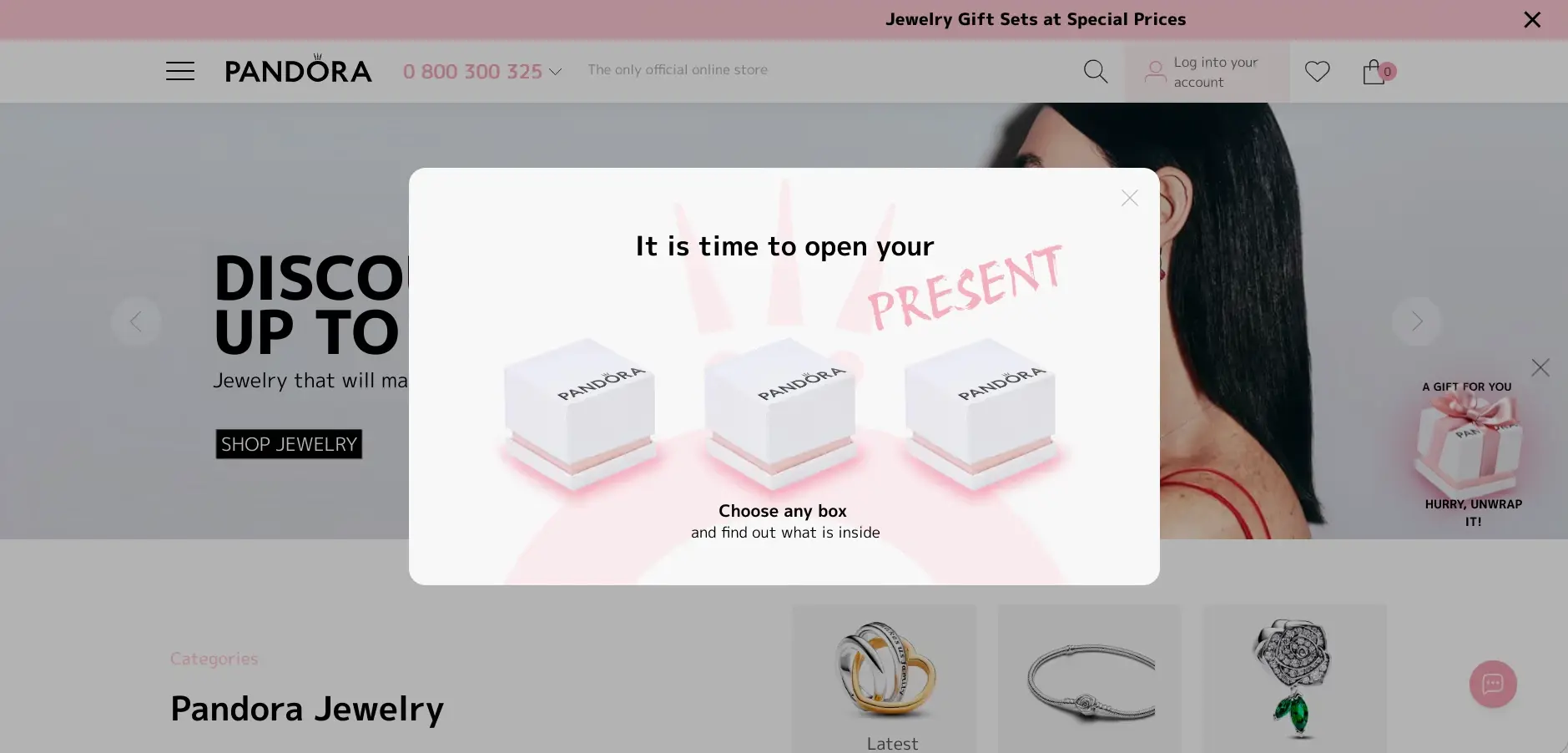
If you’d like to see a real-life example of gamified widgets in action, check out this case study.
Back-in-Stock and Price Drop Alerts
Some of the highest-intent messages on this list. A customer has already told you what they want.
- Triggering condition: Recorded interest in an unavailable or viewed product, then a change in inventory or price.
- Logic: Verify current stock and price at send time. Cap the audience to recent interest. Suppress after purchase.
In Yespo, Shopify tracking events support discount notifications for both viewed products and products added to a cart.
- KPI: Alert-to-order conversion and recovered demand revenue. Then time from restock to send, and oversell or cancellation rate.
Omnichannel Campaign Orchestration
Omnichannel marketing doesn't mean sending the same promotion five ways. It means one workflow chooses the best available channel, keeps context, and stops everything the moment someone converts.
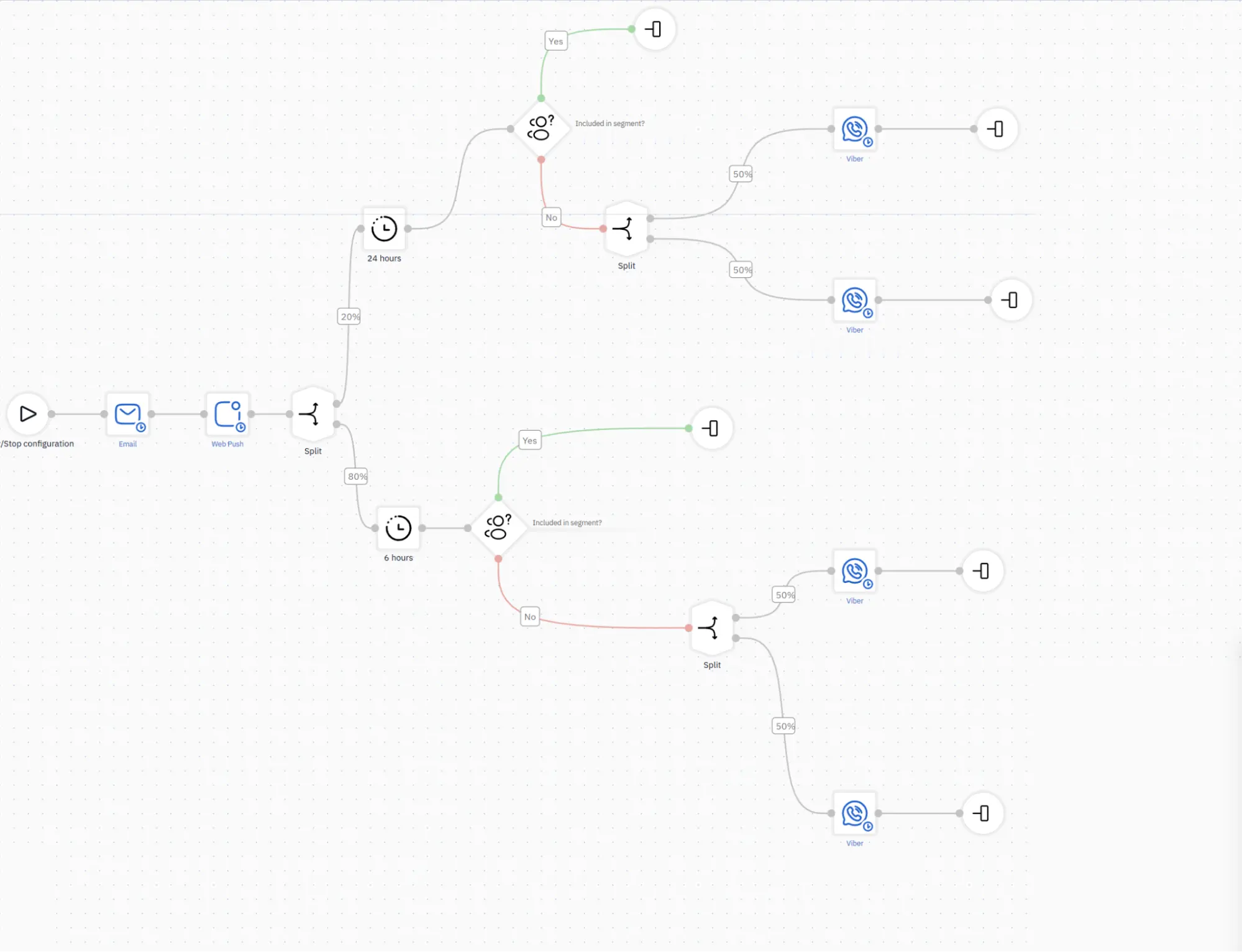
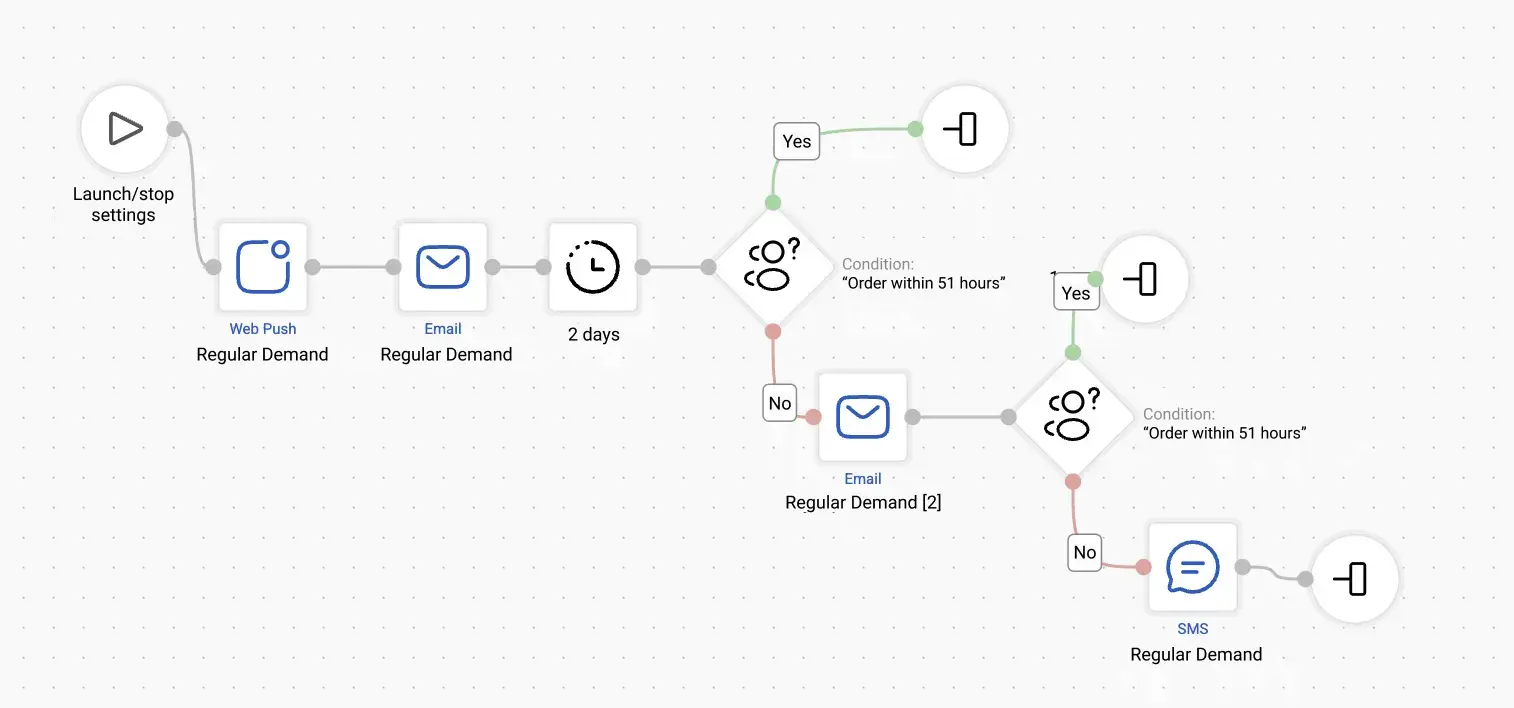
It might look like this: cart abandoned → send an email marketing message after 45 minutes → stop if purchased → send web push notifications or an app push after four hours if the email went unopened → send an SMS marketing message after 24 hours, but only to contacts who have given consent (just like with email) and whose cart value exceeds a defined threshold.
Yespo regular workflows combine email, web push, mobile push, SMS, Viber, and App Inbox in a single flow. Rules can rely on event-based triggers, profile fields, external events, message engagement, segment membership, time, and channel availability, which is what makes the fallback logic above possible.
Most of the Shopify use cases above work best when orchestrated this way, and deteriorate when every channel works independently.
- KPI: Incremental conversion against the best single-channel baseline. Then duplicate-touch rate, channel-switch success, and opt-outs by channel.
How to Set Up These Shopify Use Cases with Yespo
The Shopify use cases above share the same foundation.
- Connect the store.
Install the Yespo app from the Shopify App Store and connect it with a full-access API key from your Yespo account. Contacts and orders sync in real time, including historical data.
Show me how to connect my Shopify store
- Activate tracking and identity.
Enable the Yespo theme extension and publish it. This installs the site script and the service worker for web push. Confirm that MainPage, ProductPage, CategoryPage, CustomerData, StatusCart, and PurchasedItems events are working correctly. Use a stable external customer ID where you have one.
- Sync catalog data.
Upload the product feed and set its refresh schedule. This is required for recommendations, back-in-stock, and price-drop alerts. If you sell into multiple markets, configure market-specific availability and pricing.
- Build segments, messages, and workflows.
Start with dynamic lifecycle segments, like new subscriber, cart abandoner, first-time buyer, at-risk, VIP, then build templates that pull profile, order, event, and recommendation data. Add triggering conditions, delay, eligibility check, message sequence, purchase stop condition, frequency cap, and channel fallback to each workflow.
- Test, launch, measure.
Reproduce browse, cart, purchase, consent, and stock scenarios with test profiles before launch. Check identity matching, dynamic content, links, suppression, and time zones. Then create a control group where volume allows and define the attribution window before you turn anything on.
Build order matters, and many Shopify use cases get sequenced badly. Start with abandoned cart and welcome, since they have the most volume and the highest intent. Then post-purchase and replenishment, browse abandonment, back-in-stock and price drop, win-back, and loyalty. Channel escalation last, once you can see what a single channel is actually contributing.
If you're weighing platforms or replatforming, our comparison of ecommerce CMS options covers the data foundation these workflows depend on.
Ten Shopify use cases are way more than any store should launch at once. Pick the two with the most volume and the clearest intent, sequence them properly, and prove the incremental revenue against a control before scaling.
The principle is the same for all of them. Shopify provides the sales and behavioral data. A CDP unifies identity, manages the profile, activates the segment, chooses the content, and coordinates the channel. Return on investment follows when the data is accurate, technical settings are valid, workflow logic prevents irrelevant sends, and results are measured against a real baseline.
If you’d like to know more about using Yespo for your Shopify store, fill in the form below and we’ll get in touch with you.