10 February 2026
1108
3 min
5.00

Yespo Update for January 2026

Natalie Ustymenko
In this digest, we’ve compiled January updates across widgets, workflows, API, and data export. These improvements help you better control informer display after conversion, manage workflow branches more conveniently, and use more data for analytics and integrations.
You can view the December updates via this link, and the current SDK versions here.
Stop Displaying Informers after a Target Action
Informers can now stop displaying as soon as a user completes a target action. The corresponding settings are configured in the widget calling rules:
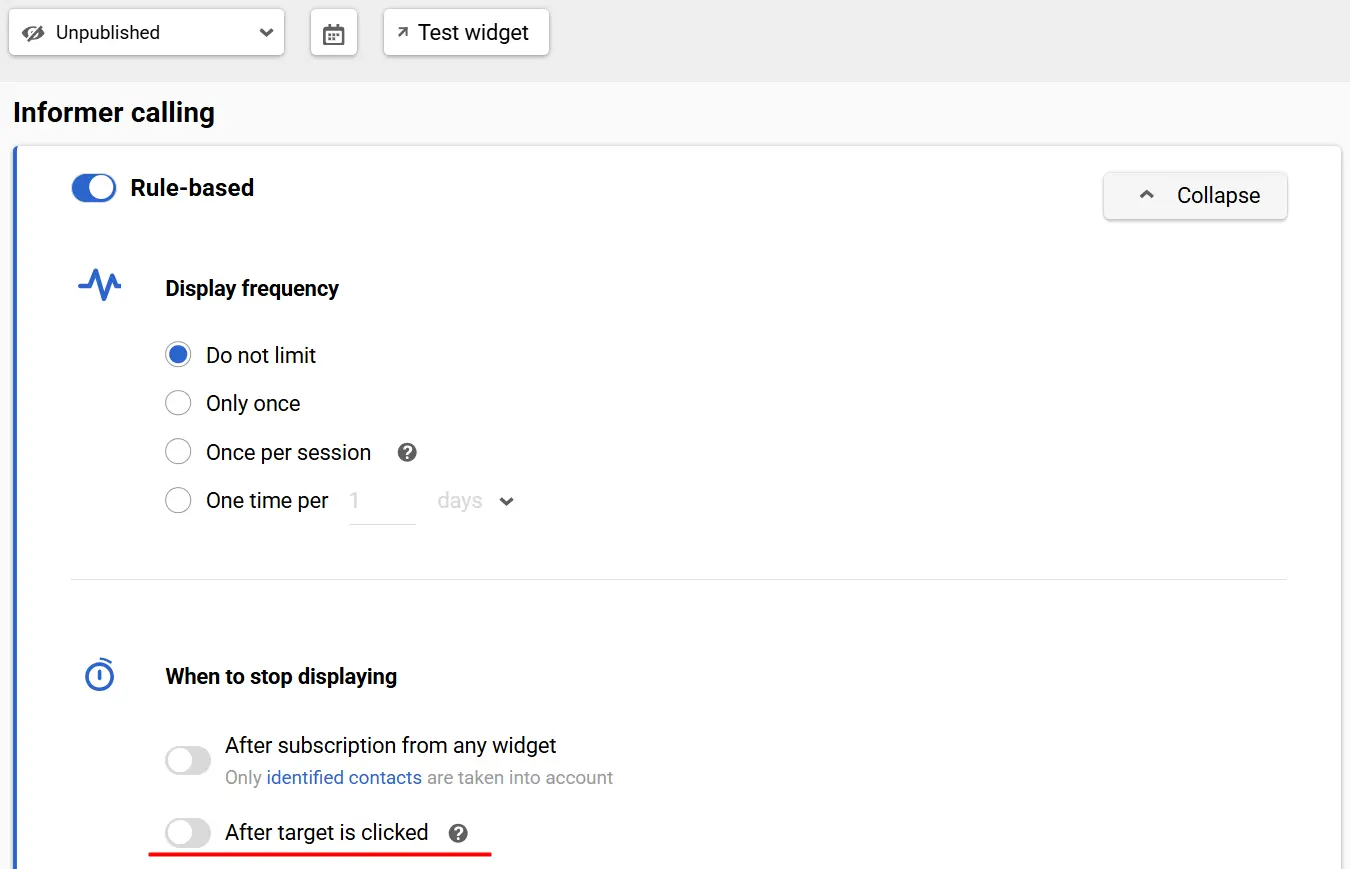
Target actions can include:
- a click on a button/image/container if it has an assigned action such as Open URL, Launch another widget, or Close widget;
- a click on the Promo code component.
A new toggle, Count as target action, has been added in the editor. It is disabled by default:
- If the toggle isn’t enabled, the system treats any of the listed actions as a target action.
- If it’s enabled, only the actions with the corresponding setting will be treated as target actions.
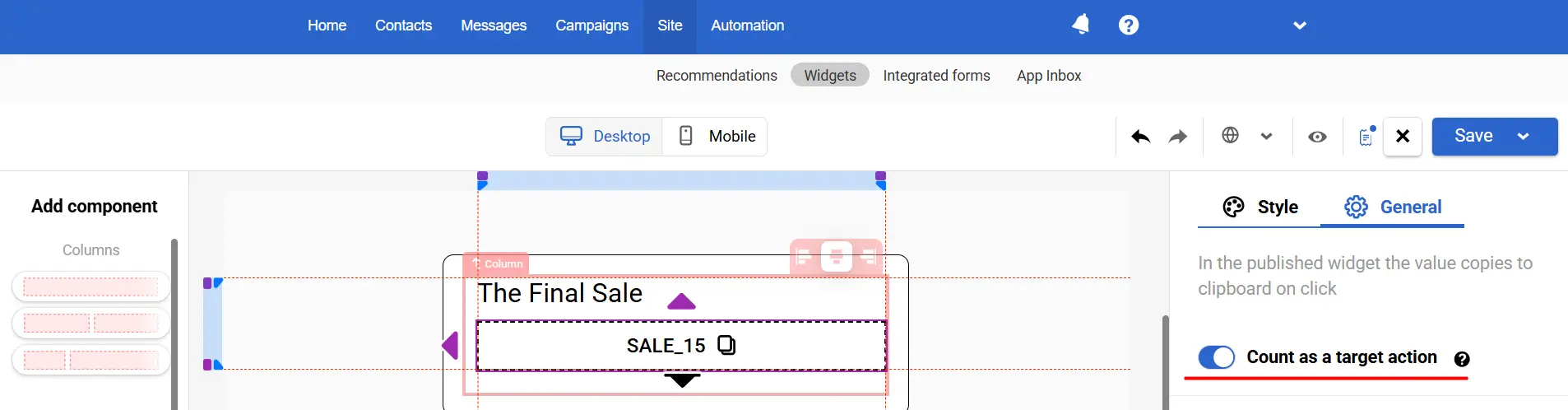
This gives you finer control over when the widget should stop showing – for example, only after a click on a specific button rather than after any interaction.
Contact Language in Workflow Context
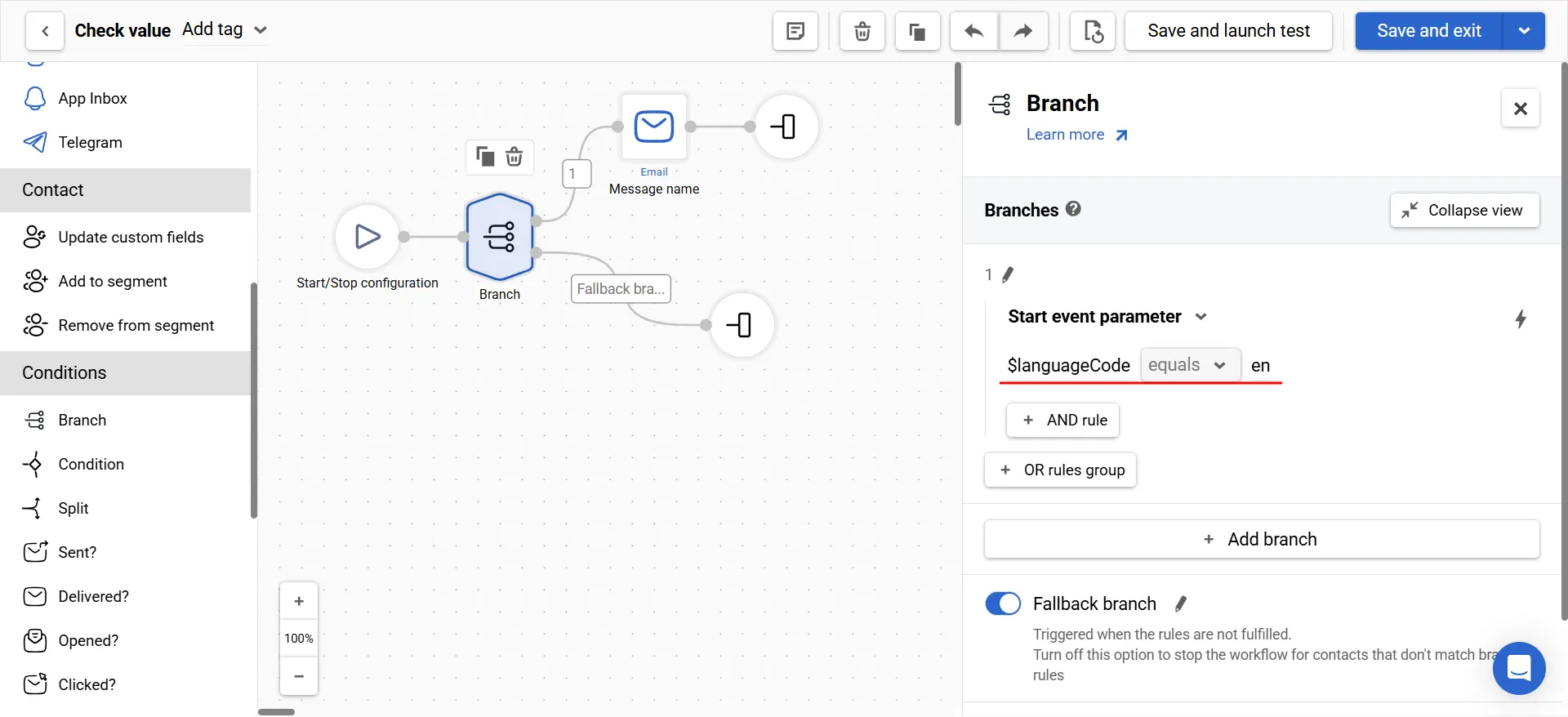
A system variable, $languageCode, has been added to the workflow context – it pulls the user’s language directly from the contact profile. This means you no longer need to pass the language in every event, and you can build workflows where the language data source is unified.
You can use $languageCode in blocks that rely on variables and conditions, such as:
- Webhook
- Branch
- Check values
Branch: Easier Branch Ordering
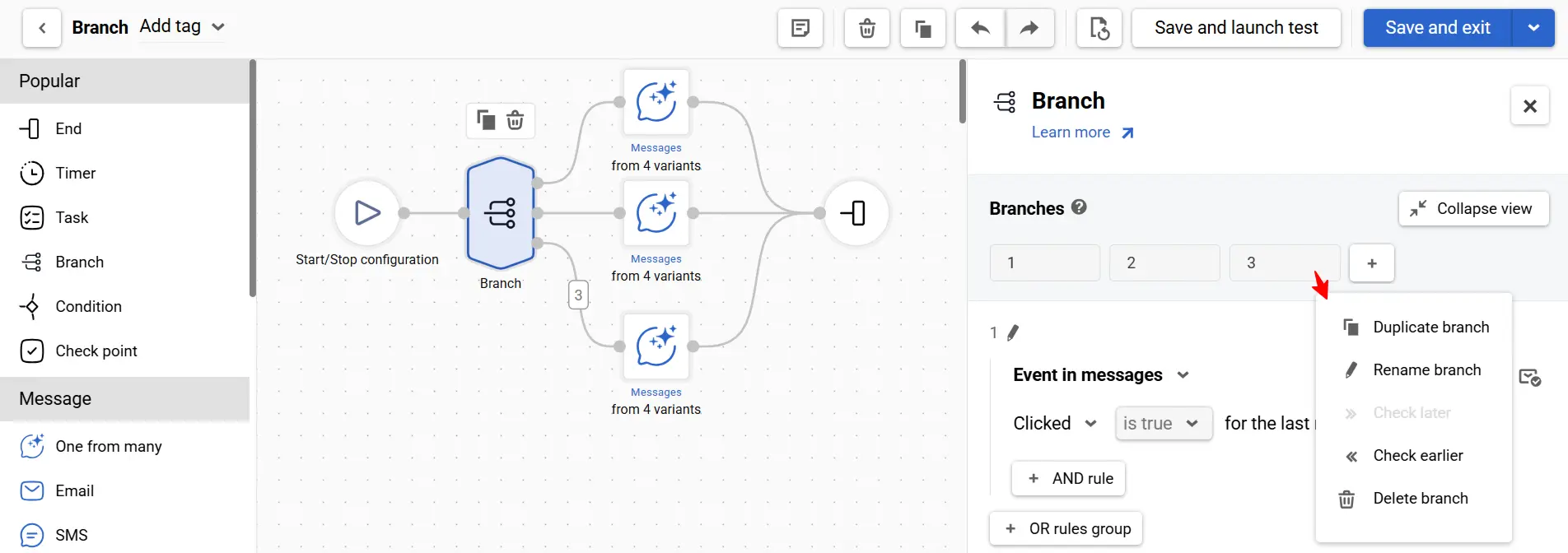
A horizontal control panel has been added to the Branch block settings, allowing you to quickly explain, reorder, duplicate, rename, and add branches.
Learn more about the Branch block >
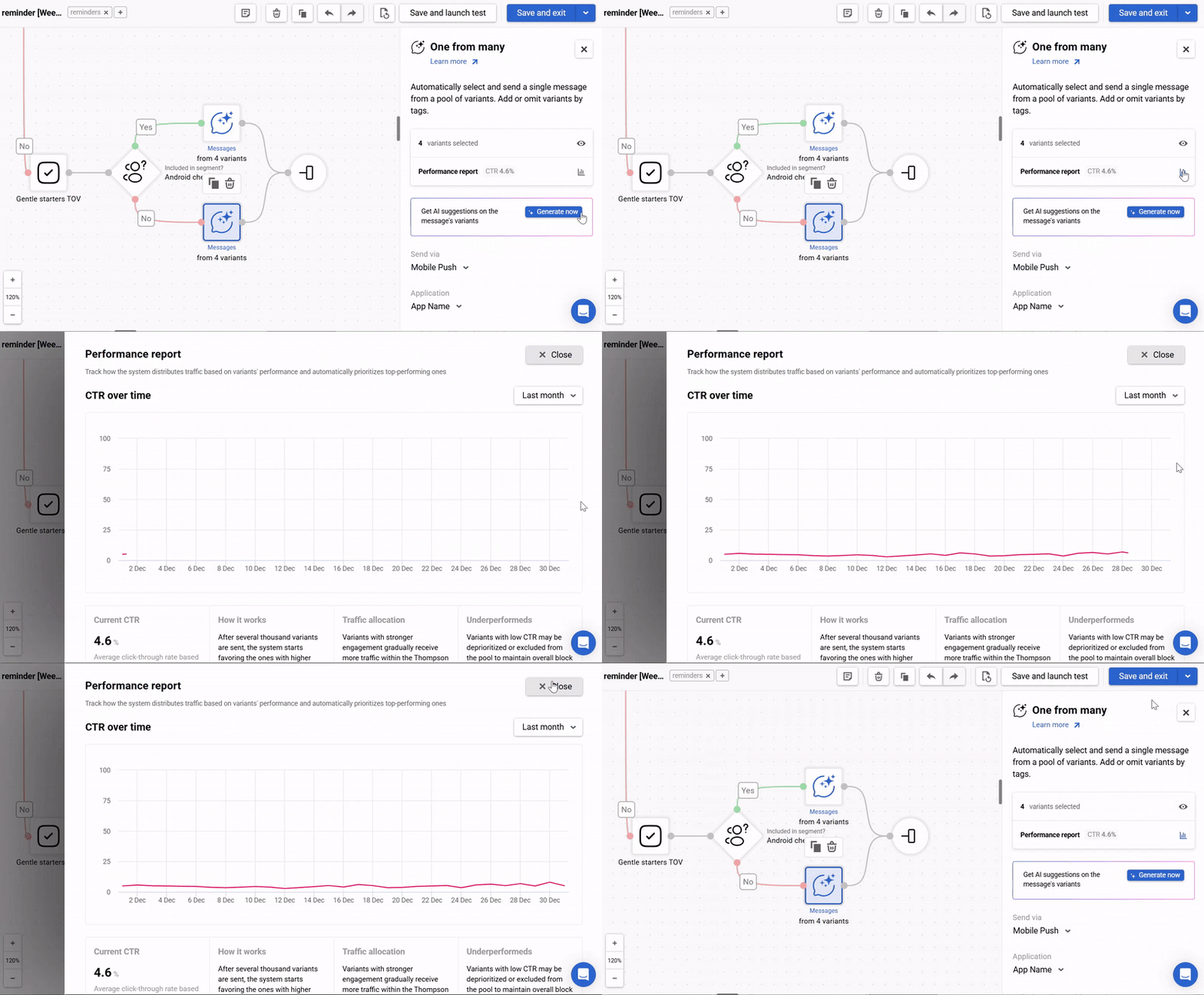
One from Many: Performance Report
The One from Many block now includes a performance report. For now, it shows average CTR across all messages in the block. This provides a quick snapshot of effectiveness and helps you decide whether to refresh existing variants or add new alternatives.
Learn more about the One from Many block >
Product Carousel in the Send Viber Message API Method
When creating Viber messages via the API (Send Viber message), you can now include a product carousel.
Two sending options are supported:
- sending to an array of phoneNumbers, or
- using groupId.
This allows you to generate and send carousels without configuring them in the editor.
SMS Parts in BigQuery and PostgreSQL Export
A new field, smsParts (the number of SMS parts), has been added to contactActivities export for BigQuery and PostgreSQL. This makes SMS analytics more accurate, which is important for cost control.
Learn more about working with external data sources >
Want to see how these updates work in practice? Contact us or book a demo using the form below.