Content
09 December 2025
930
6 min
0.00
Yespo Update for November 2025

Natalie Ustymenko
Content
In this digest, you’ll learn about new gamified widgets, optimizations for working with Velocity and workflows, as well as other updates we’ve prepared for you in November.
You can view the October updates via this link, and the current SDK versions in this section.
Omnichannel
Widgets
New Gamified Components
To increase engagement and improve lead generation, we’ve added two new gamified components:
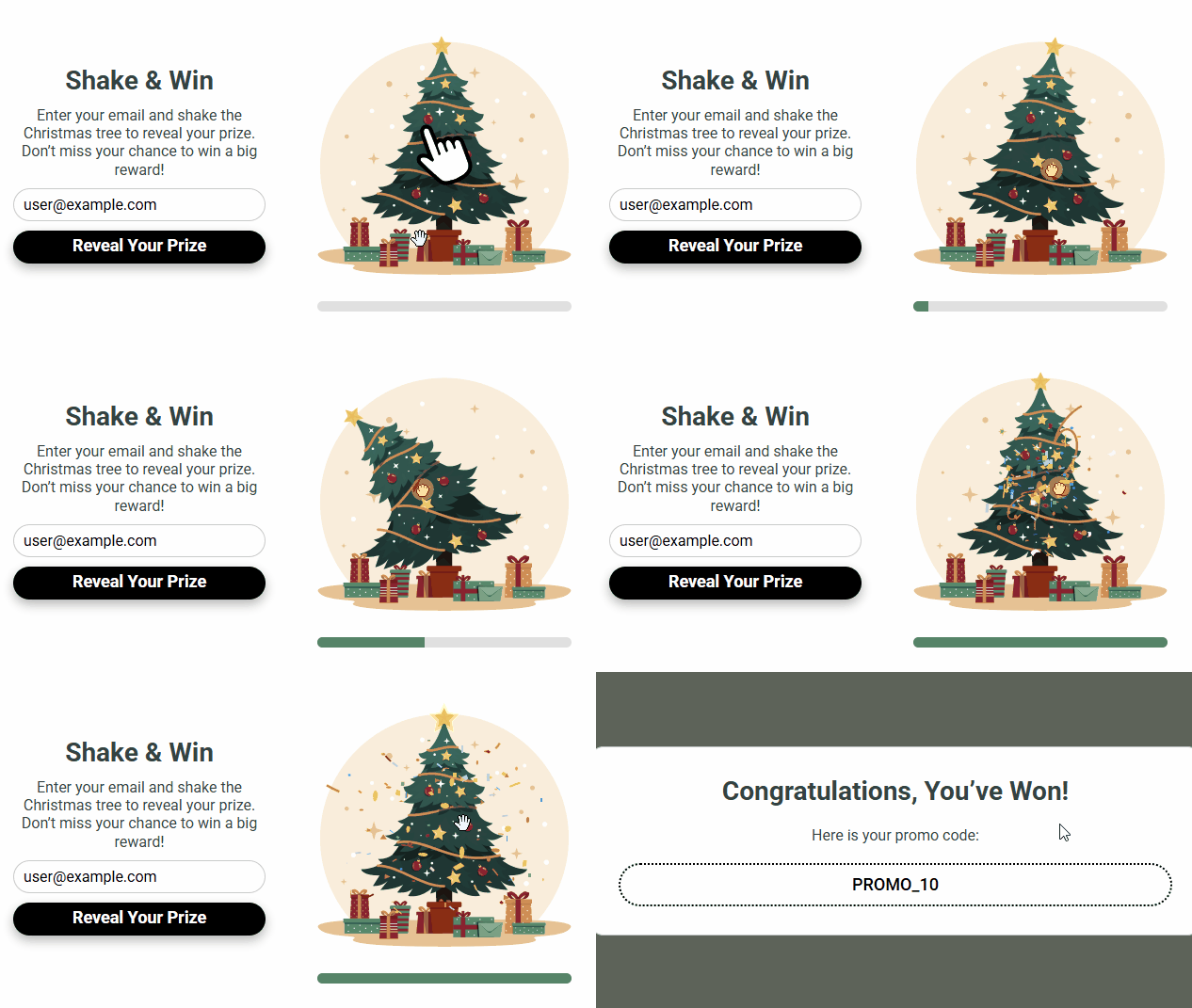
- Shake the Christmas tree: you need to shake the tree to get a prize.
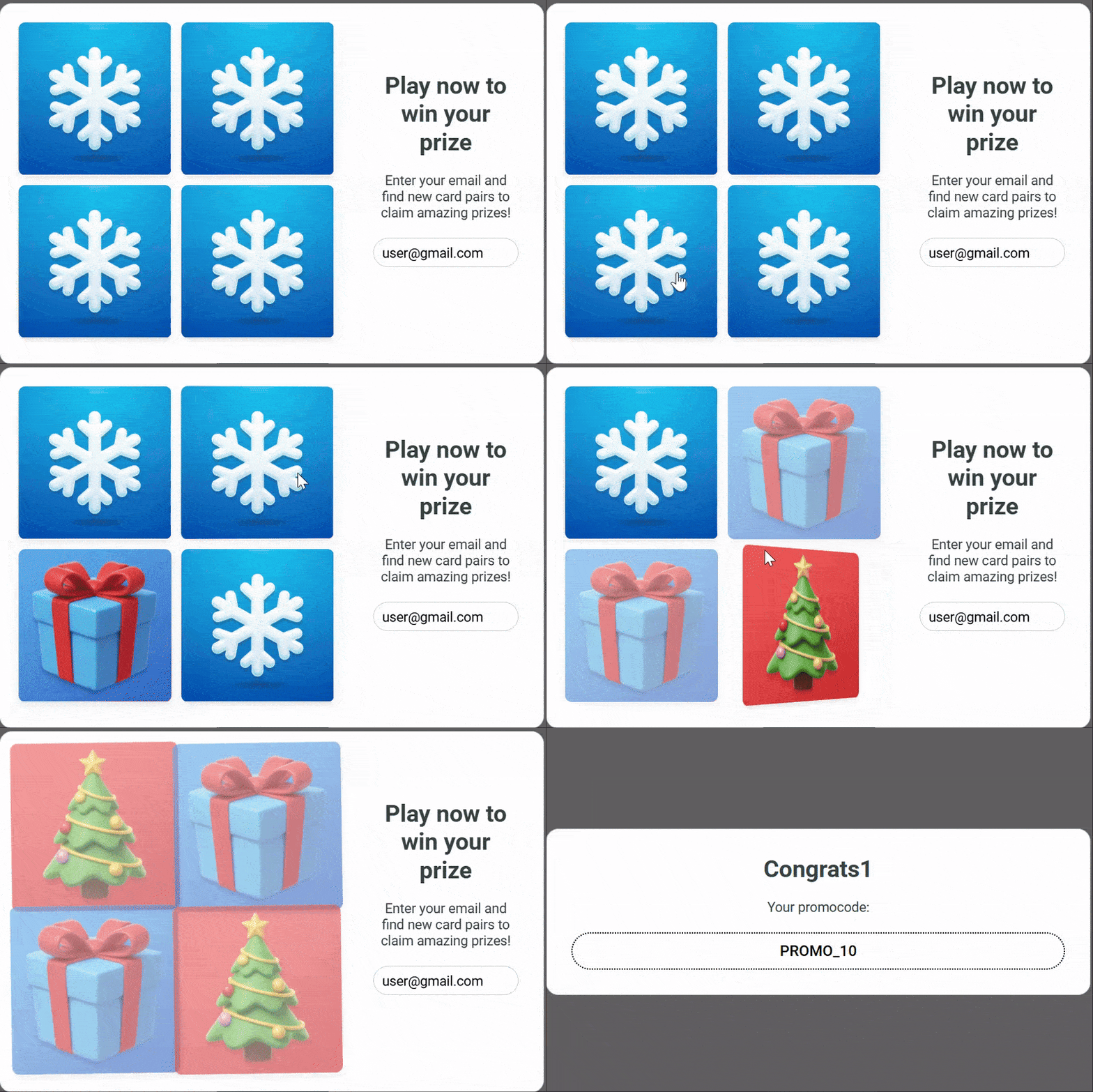
- Match the cards: to win a prize, a user must find matching pairs of cards.
More about widget gamification >
Interactive Preview
The widget preview in the editor is now interactive: it’s possible to enter an email, participate in the game, get a prize, close the widget, and more. This allows you to test form elements directly in the editor.
Launching a Game with a Button Click
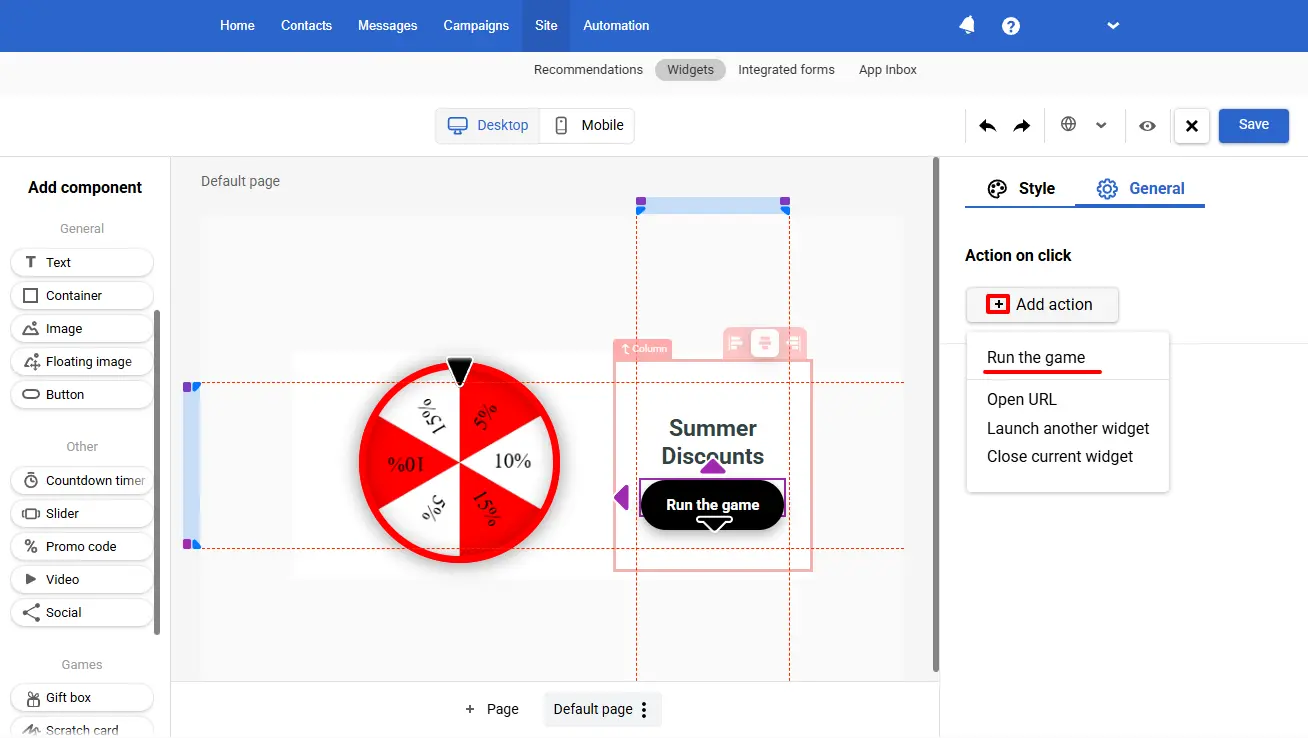
In the informers with the Slot machine and Spin the wheel, we added a new action button, Run the game, which launches these gamified components.
Filtering by Performance
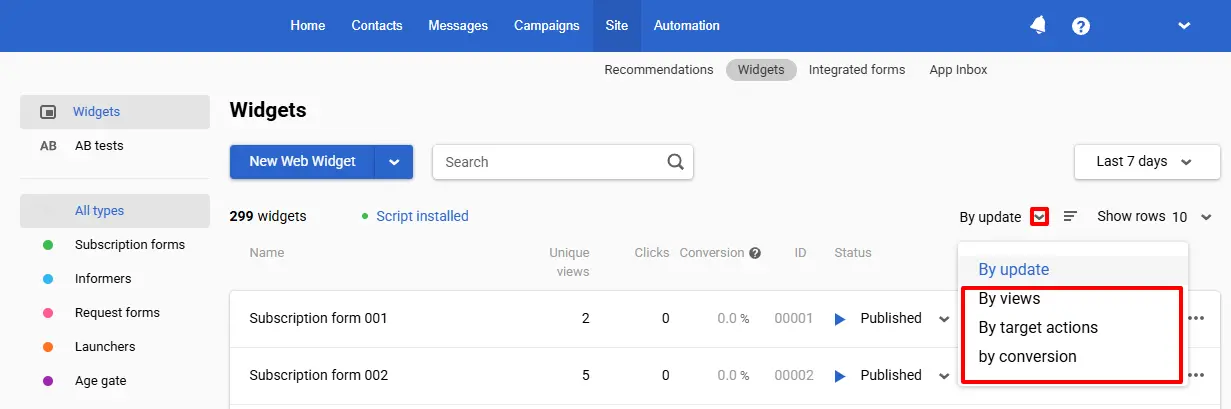
The platform now lets you filter the list of widgets by views, target actions, and conversions to quickly analyze performance based on the metrics that matter most.
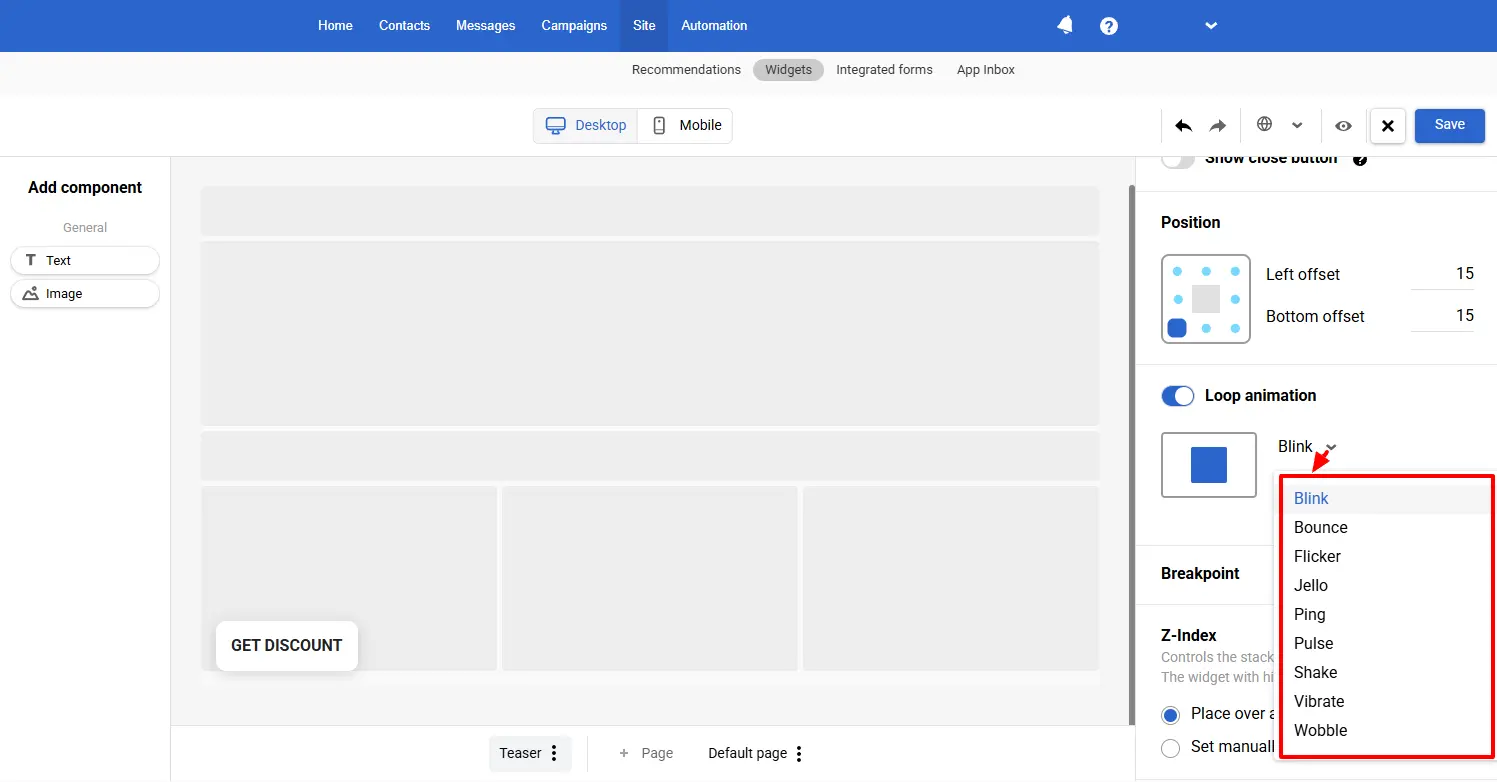
Teaser Appearance Animation
To make the teaser more noticeable, we’ve added an animation for its appearance.
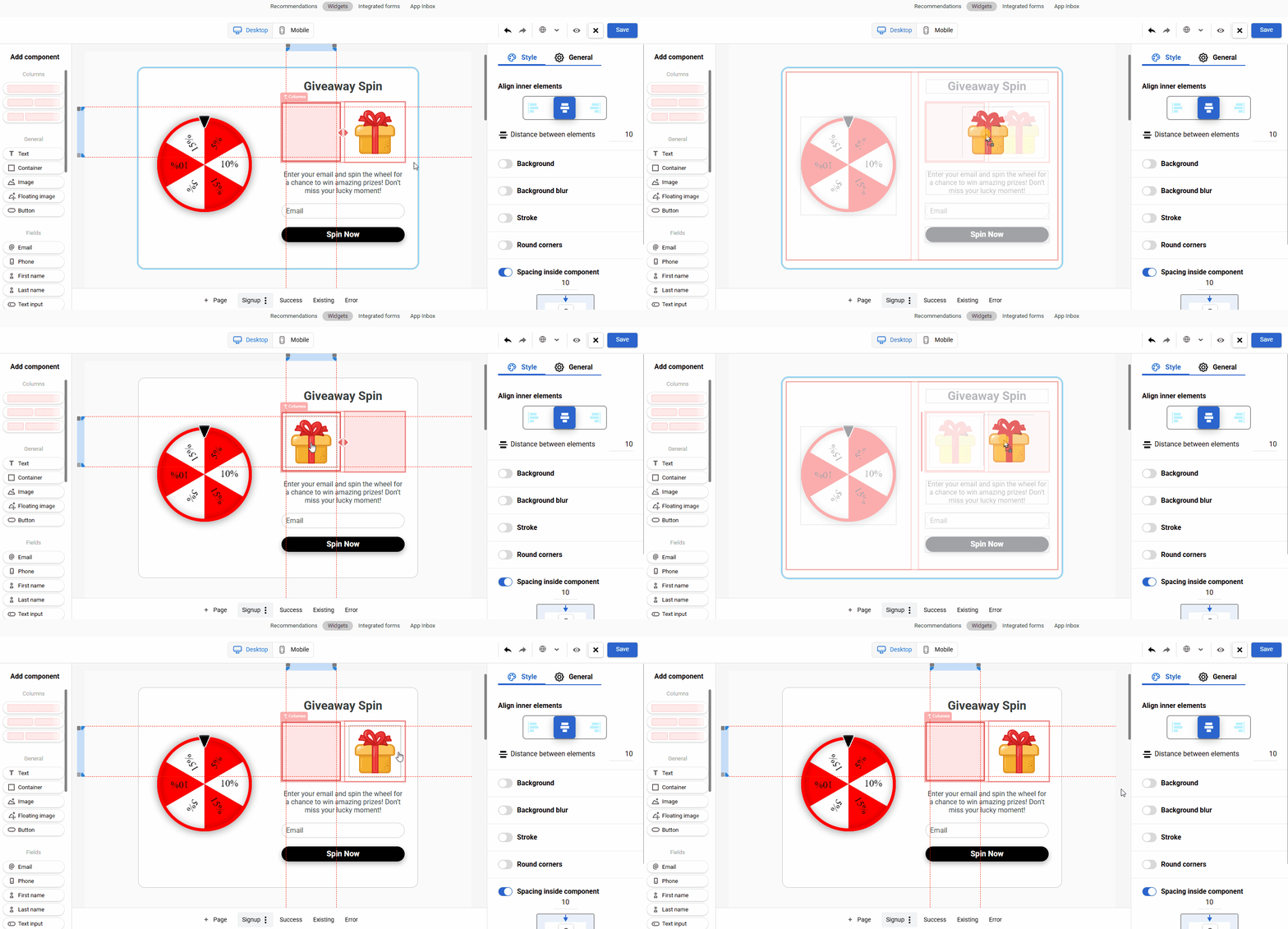
Reordering Columns
The editor now supports rearranging columns in widgets via drag-and-drop, making it faster to adjust the layout.
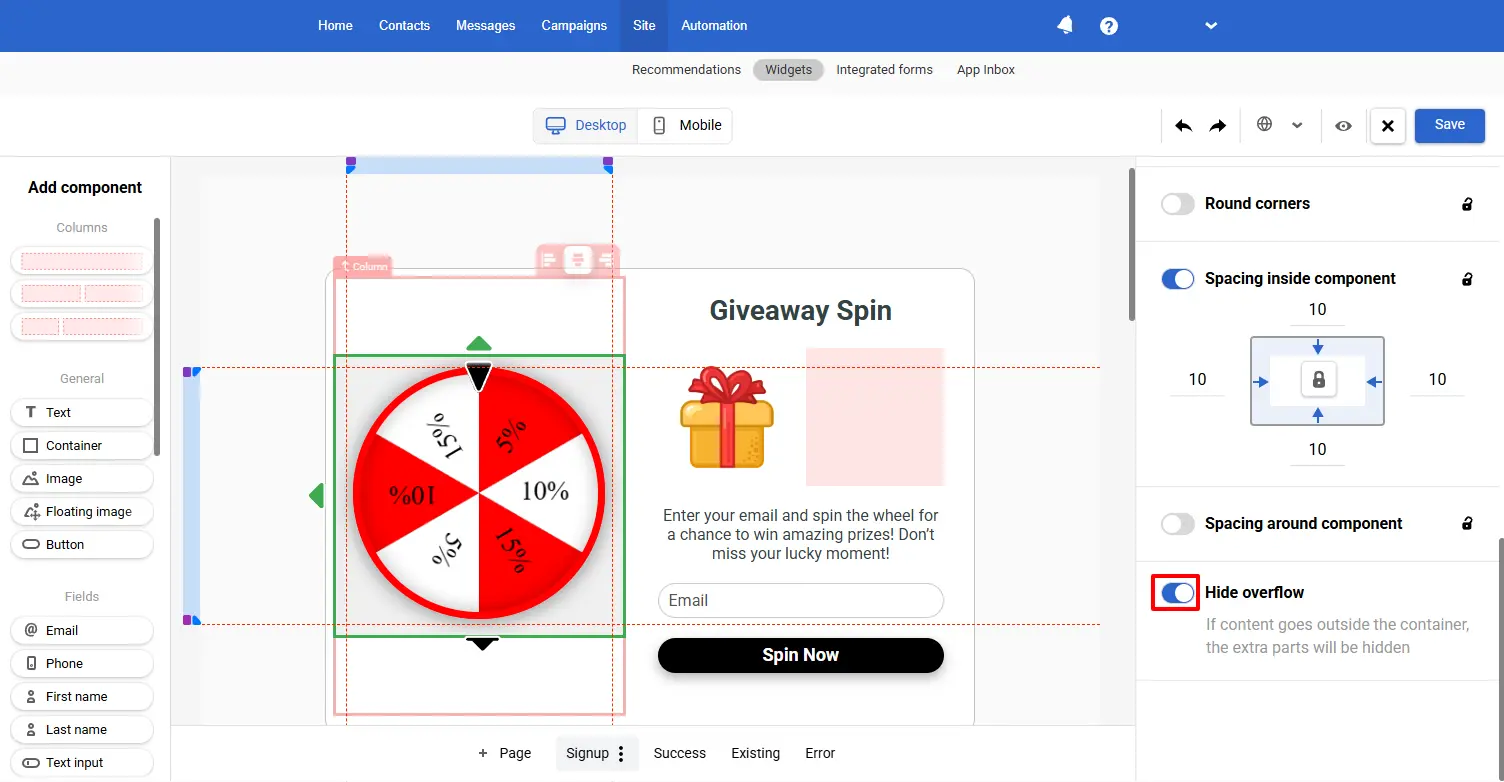
Hiding Elements Outside the Container
A new option allows you to hide elements that extend beyond their containers, ensuring consistent and predictable layout behavior across various sizes and screens.
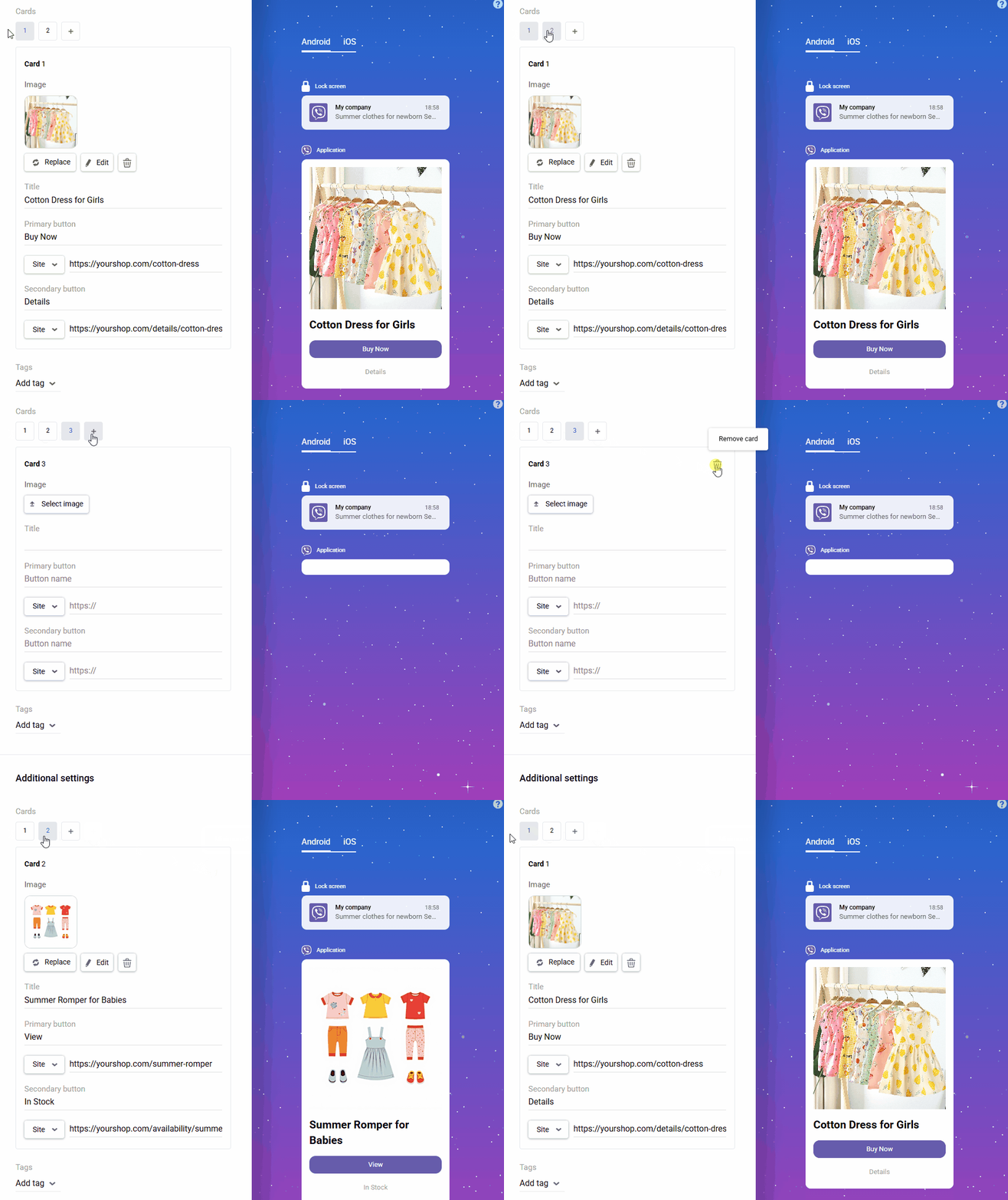
Viber
Support for Rich Media Carousel by New Providers
Users of AlphaSMS, TurboSMS, and Omnicell can now also use the interactive rich media carousel in their Viber campaigns.
Web Push
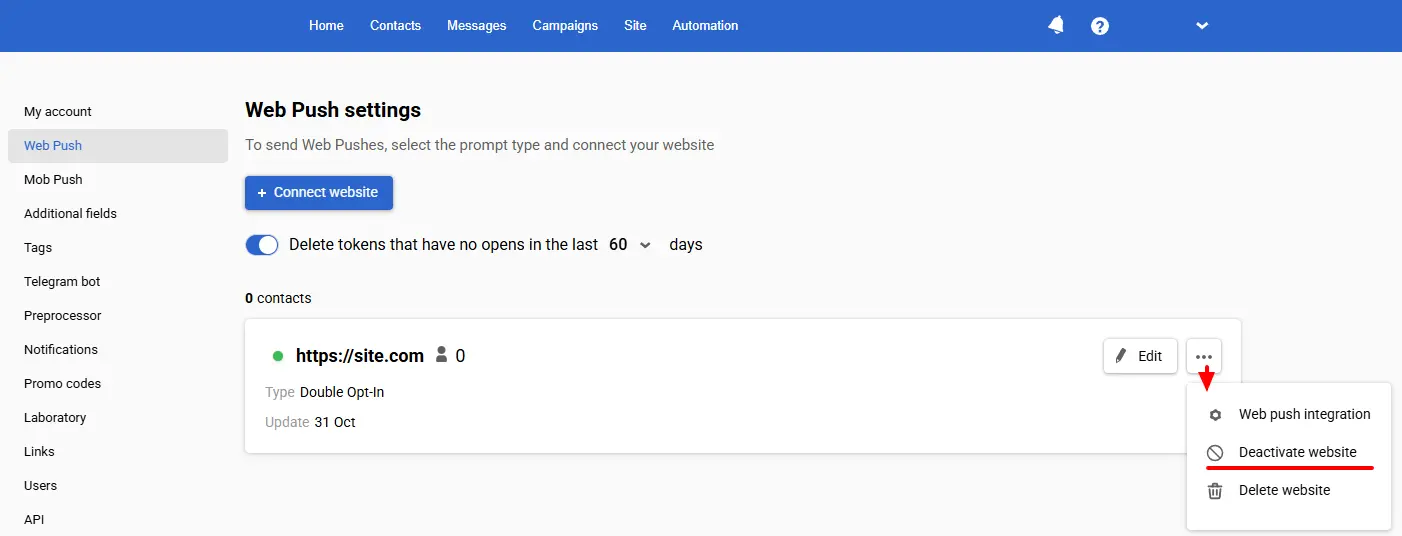
Temporary Deactivation of a Linked Website
Previously, a linked website for Web Push could only be deleted. It’s now possible to temporarily deactivate a linked website: the site will stop being used for sending, but contacts will remain subscribed, and their subscription tokens will stay active.
Receiving Event Parameters for Web Push Personalization
The sendEvent function now accepts params of type object:
es('sendEvent', eventTypeKey, keyValue, params);
This means that, along with the event sent from the website, the event call now supports passing additional data that can later be used to personalize a push notification – for example, sending the cart contents (product names and categories, order amount, etc.).
Workflows
Checking Nested Values
In workflow blocks that support value validation, nested structures are accessible:
- ${event.data.parameter} – a dot selector for nested parameters.
- ${event.array[0].parameter} – an index selector for array elements.
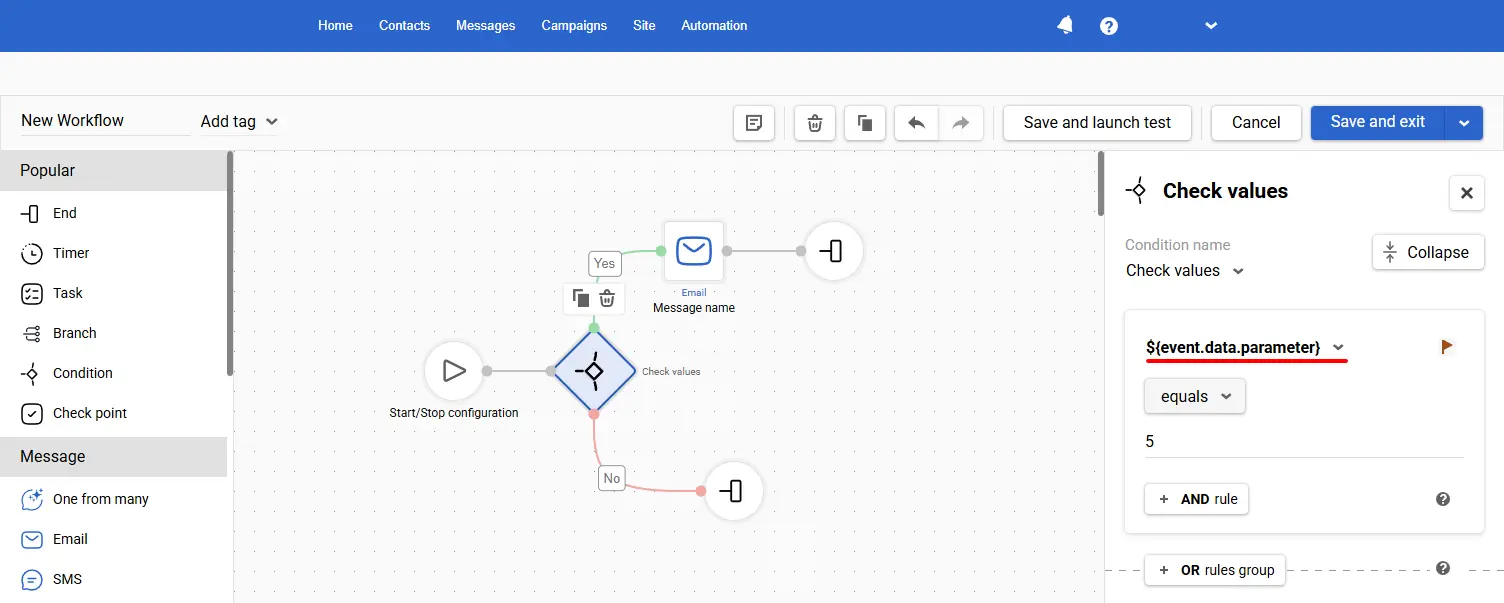
For example, if ${event.data.order.total} > 1000, you can send a VIP offer; otherwise, a standard one.
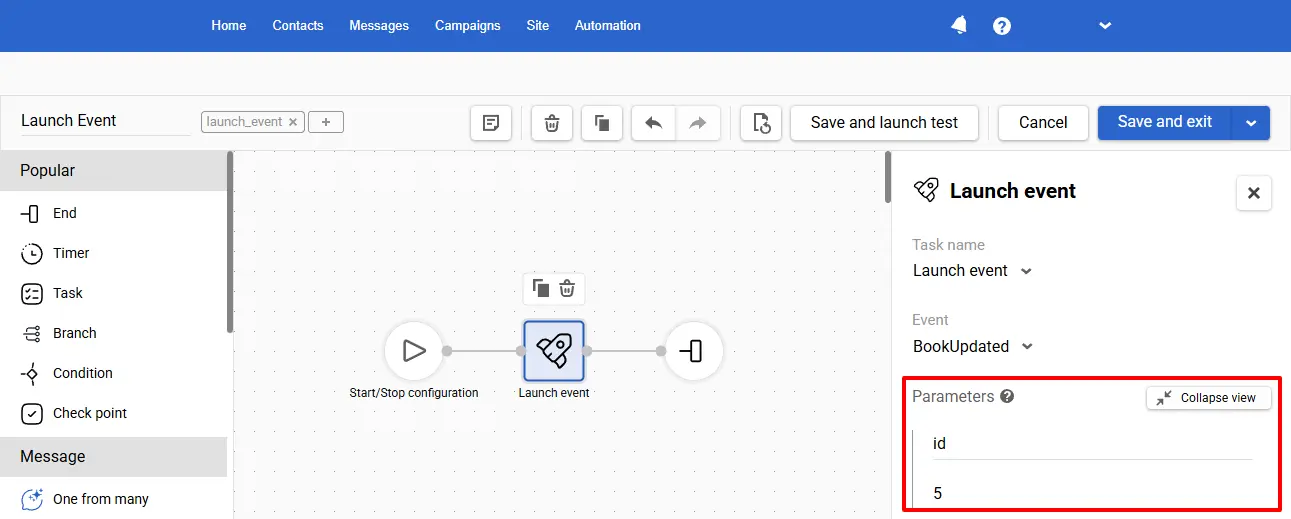
Event Parameters in the Launch Event Block
The Launch event block now allows adding parameters to the event generated by the Launch event block (in the name:value format). This allows you to pass service data between workflows without additional integrations conveniently.
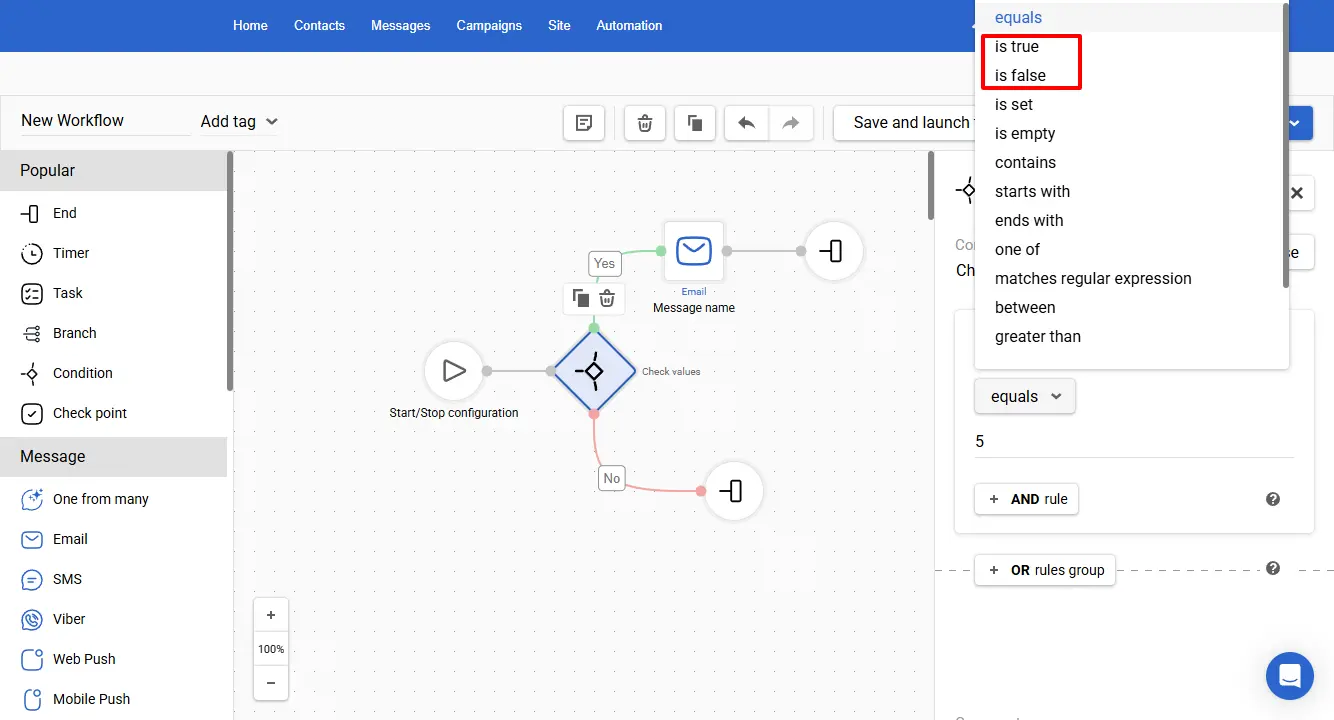
Support for New Logical Operators in the Check Value Block
The Check Value block now includes new Is true / Is false operators for validating numeric and text values – for example, in contact fields.
More about Check values block >
Workflow Context Data in the Webhook Block
You can now use Velocity variables in the Webhook block when building the request payload, including formats such as $var, $!var, ${var|default}.
Velocity Access to Contact Custom Fields
Velocity now provides access to contact custom fields (by field ID) in workflows using case-insensitive variable formats, for example:
- fields.get('1234')
- fields['1234']
- data['fields'].get('1234')
Launch One Time on a Segment
We’ve added the ability to launch the workflow on a segment, allowing you to test it on a specific audience using the Launch one time option.
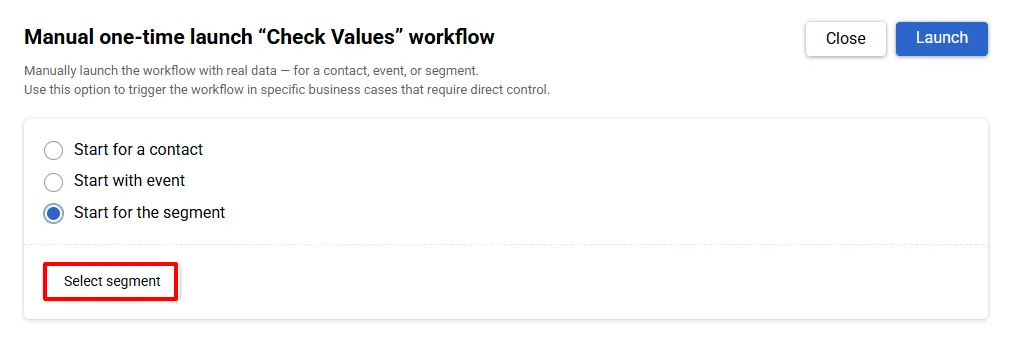
When the workflow is launched, the manualRunEventType is generated for each contact. In the launch history, such executions are marked as test launches.
Other Updates
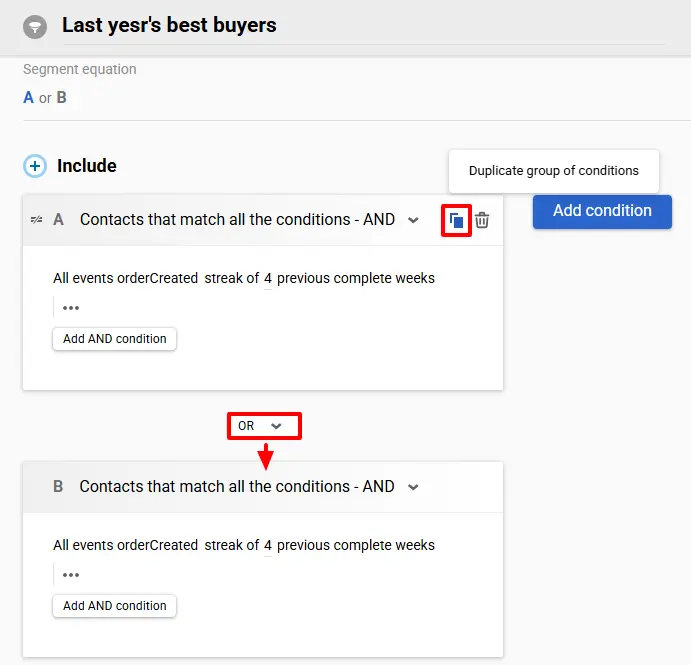
Copying Cards in Dynamic Segments
You can now copy a card in a dynamic segment instead of creating it from scratch.
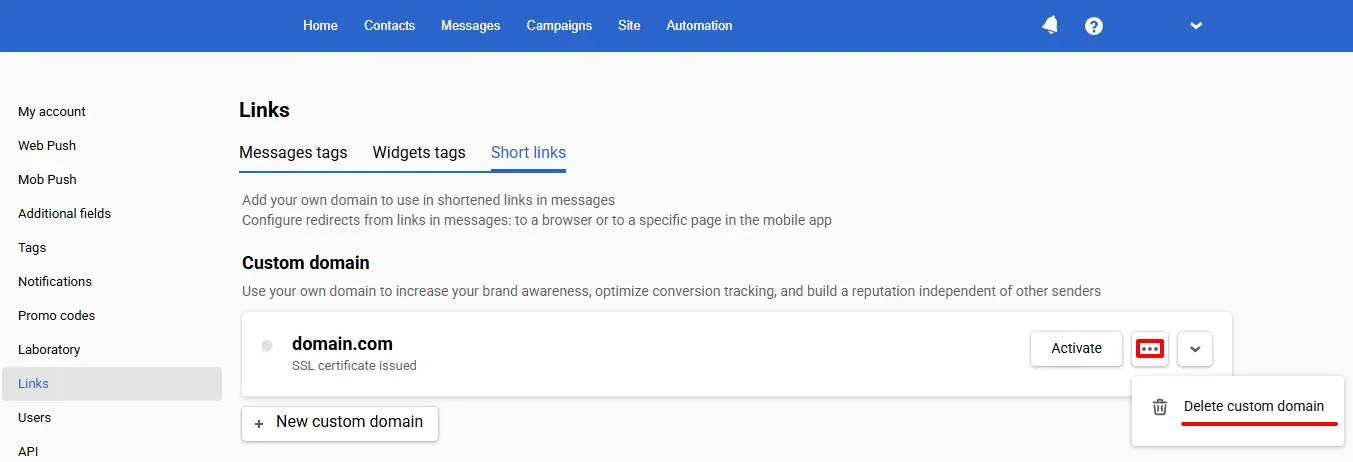
Deleting a Custom Domain
You can now delete a domain used for link wrapping to keep your settings organized.
Contact Country Code
A countryCode field has been added to the contact address. The field accepts values in the ISO-3166-1 alpha-2 format (e.g., UK, NL, DE, FR). It is supported in the following resources:
- Add/update a contact
- Add/update contacts
- Update contact
- Add/update contacts from external file
- Get contact
- Get contacts from a segment
- SDK resources
Also, the Country field is now displayed in the contact profiles.
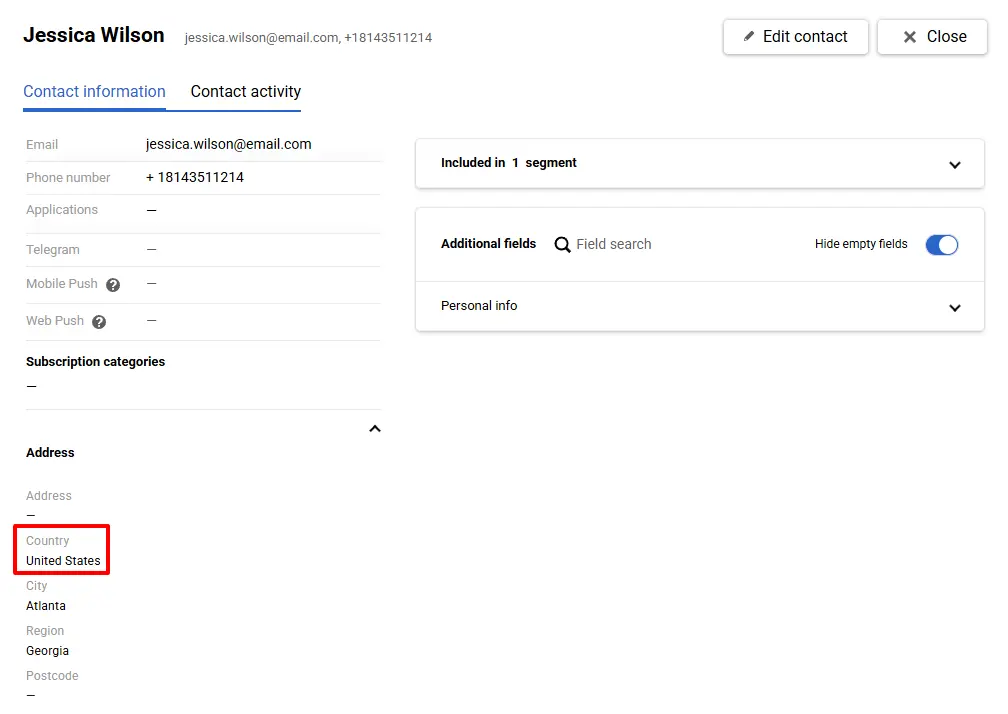
Tracking contact country data enhances your segmentation capabilities, enabling you to tailor marketing communications to each country, city, or region.
Home Page Analytics Improvements
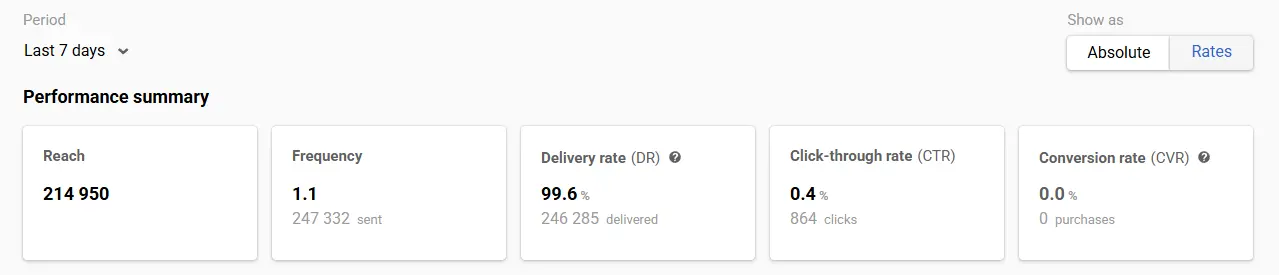
The delivery calculation logic in the summary analytics on the home page has been updated: deliveries are now counted on the day the corresponding messages are sent (some delivery confirmations may arrive up to 72 hours later).
Want to see how these updates work in practice? Contact us or book a demo using the form below.