Content
07 September 2026
564
8 min
0.00
Yespo Updates for August 2026

Natalie Ustymenko
Content
Every month, we work to reduce manual work in Yespo. August brings updates that help you build or review a workflow with the AI assistant, see condition results in launch history, and check unsubscribe, spam, and error metrics directly on the home page.
There are also several updates that cover smaller but familiar everyday tasks: App Inbox messages can be shown separately on the website or in the app, multi-page widgets get more flexible page transitions, and integrations get new authorization and language options.
You can find the July 2026 updates in the previous digest; the current SDK versions are in the release notes.
Workflows
AI Assistant in the Workflow Editor
The workflow editor now includes an AI assistant that helps you create, review, and update workflows in a chat.
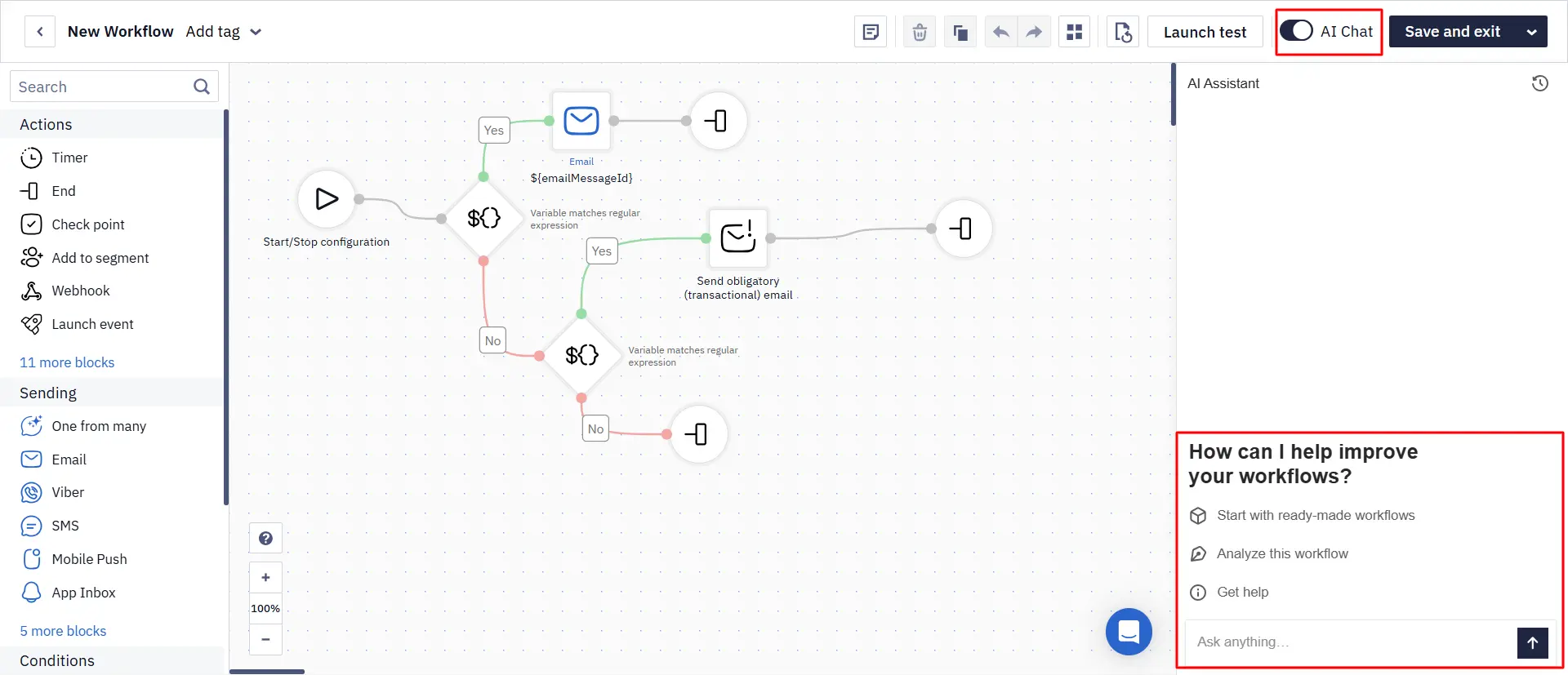
The assistant can:
- create a workflow from your description or a ready-made template;
- edit an existing workflow: add or remove blocks, change connections, timers, and conditions;
- analyze a workflow: check its logic, settings, and structure, and suggest improvements;
- answer questions about blocks, their settings, and how to phrase requests.
This way, you can handle many routine tasks without editing every step manually and without switching to the documentation. For example, the assistant can quickly change the workflow logic, review it before launch, or build your first workflow from a chat description.
Learn more about the AI assistant in the workflow editor
Condition Block Results in the Launch History
The workflow launch history now shows how each condition block ended — right in its row, without opening the block. For example:
- blocks with yes/no branches show the check result: Opened? — whether the contact opened the message; Included in Segment? — whether the contact belongs to the selected segment; Check Values — whether a contact field or event parameter matched the specified value;
- the Split block shows the percentage of the branch the contact followed, for example, 30%.
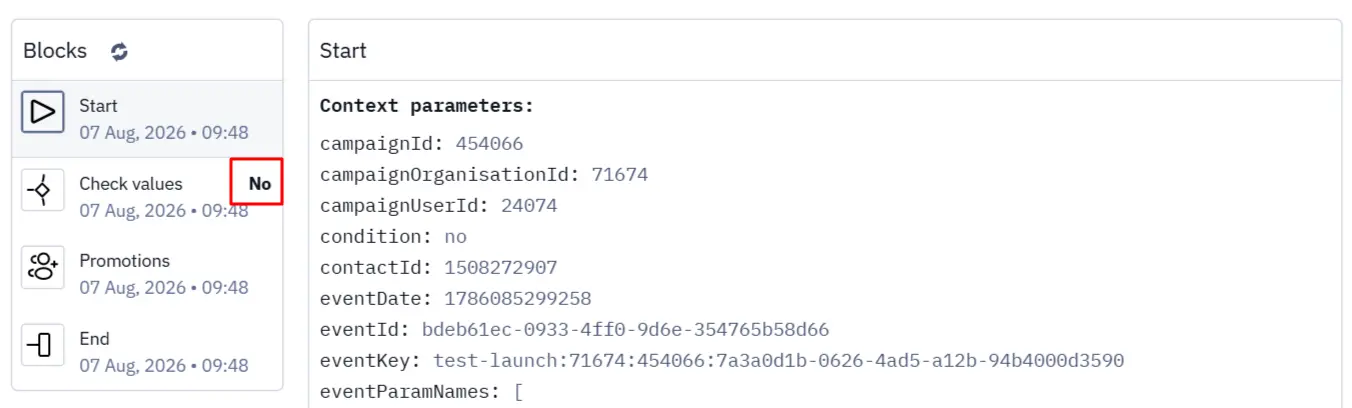
This speeds up logic checks and helps you find the reason for an unexpected transition.
Learn more about the workflow launch history
Help and Keyboard Shortcuts in the Editor
A ? icon now sits in the bottom-left corner of the workflow editor. Clicking it opens a menu with links to the knowledge base, API instructions, the API resource list, support chat, and keyboard shortcuts for editing workflows.
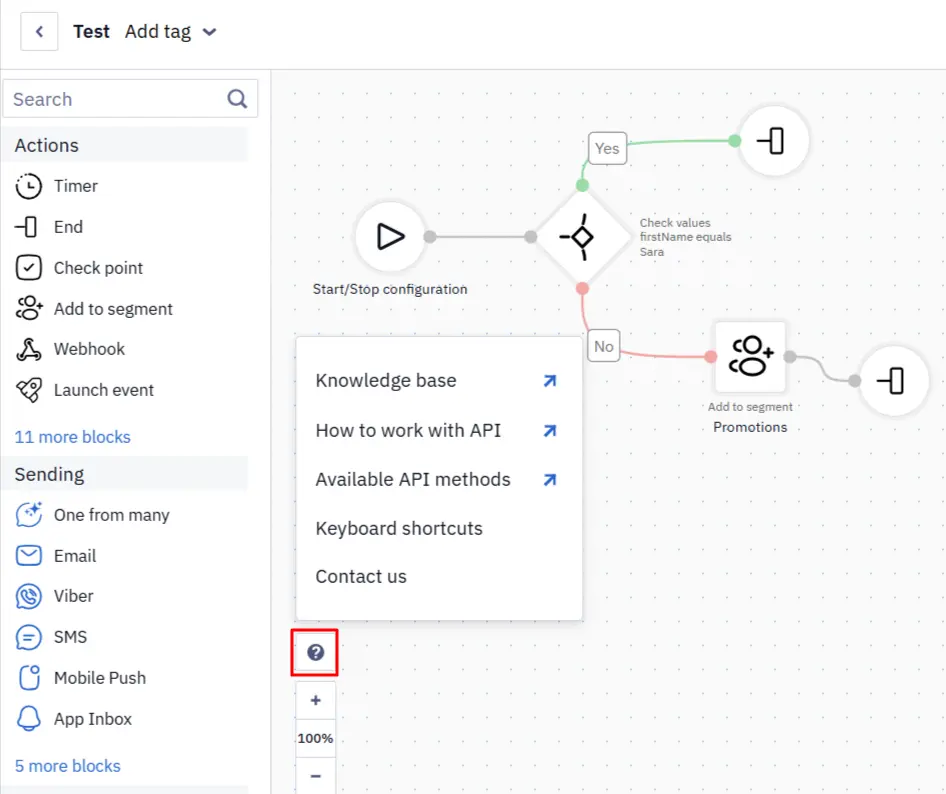
The hints stay at hand without switching to a separate tab, and repetitive workflow actions get faster.
Learn more about building and editing workflows
Creating and Editing Telegram, Viber, and SMS Messages in a Workflow
Telegram, Viber, and SMS messages can now be created and edited directly from the corresponding blocks in the workflow editor. Change the message name and content without opening a separate tab or losing the workflow context.
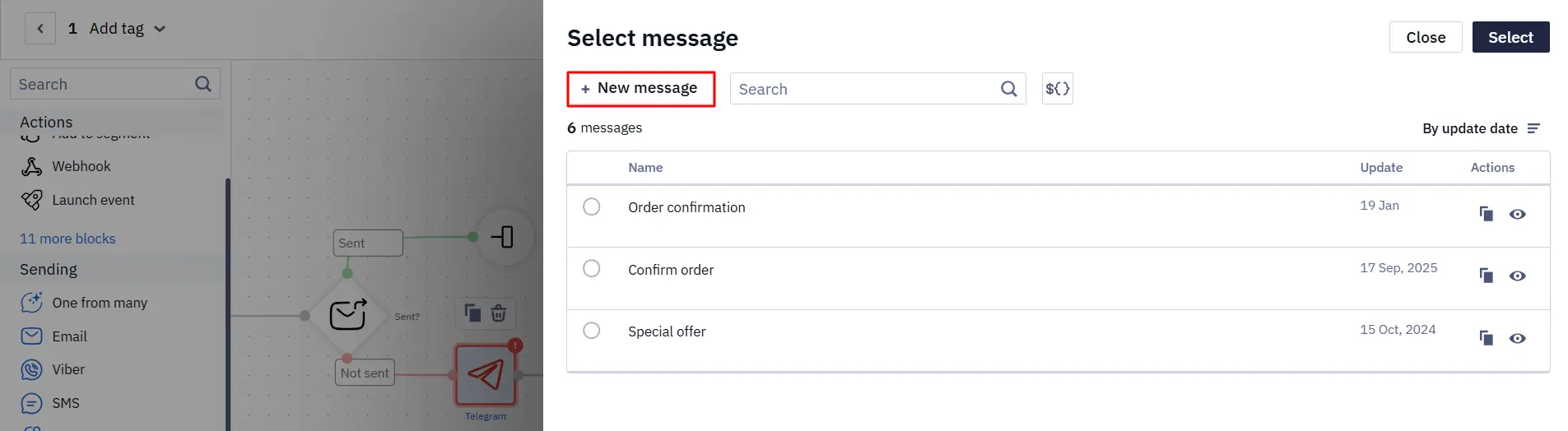
While setting up a workflow, you can immediately compare the message text with the preceding conditions and the following steps.
dateTool Expressions in the Branch Block
The Branch block checks the specified rules and sends the contact down the matching workflow branch. Its conditions now support dateTool expressions — a set of Velocity functions for calculating and comparing dates.
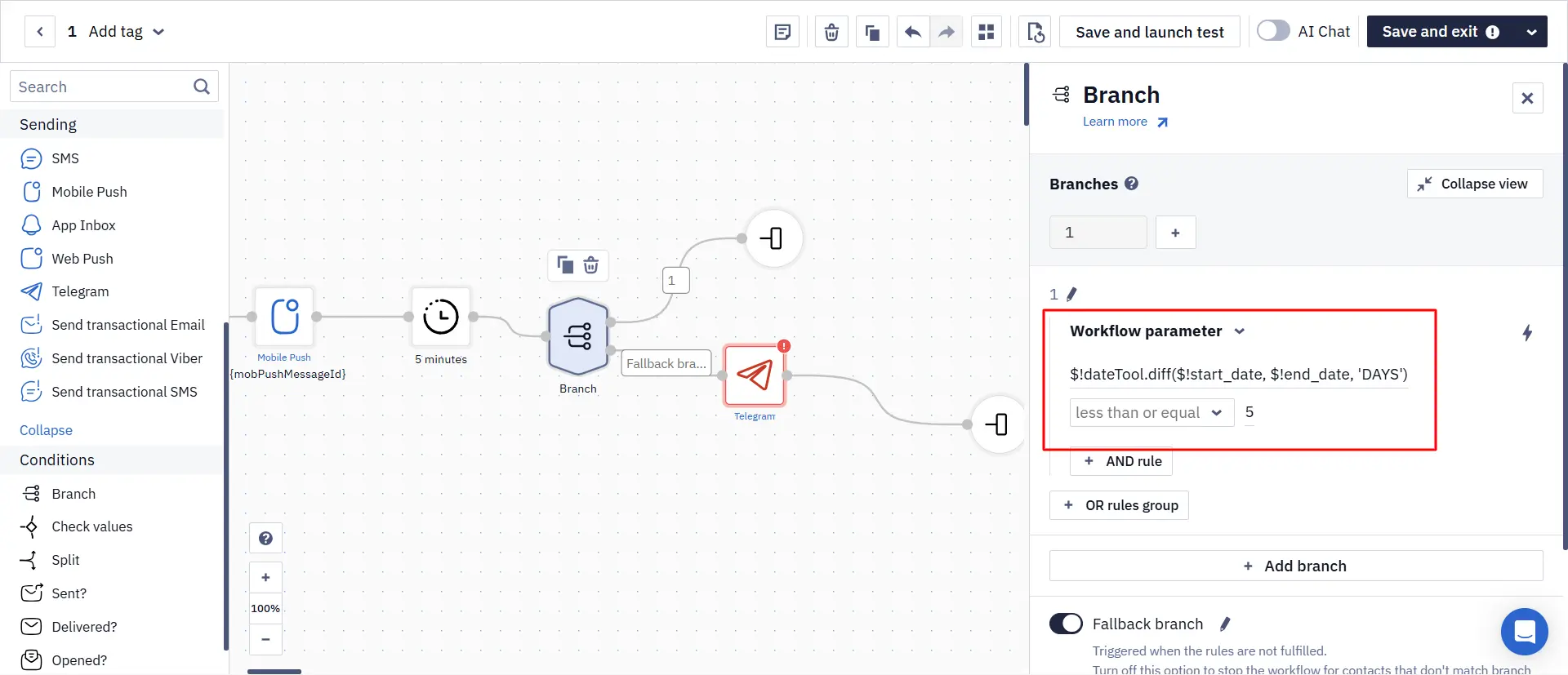
For example, the expression $!dateTool.diff($!start_date, $!end_date, 'DAYS') returns the number of days between two dates. Based on this value, the workflow can pick the right branch: send a reminder before a subscription ends, start reactivation after a period of inactivity, or skip a step if the target date hasn't come yet.
Learn more about the Branch block
Analytics
More Metrics on the Home Page
The home page analytics dashboard gets new metrics in two formats:
- Absolute values: Unsubscribed, Spam, Errors.
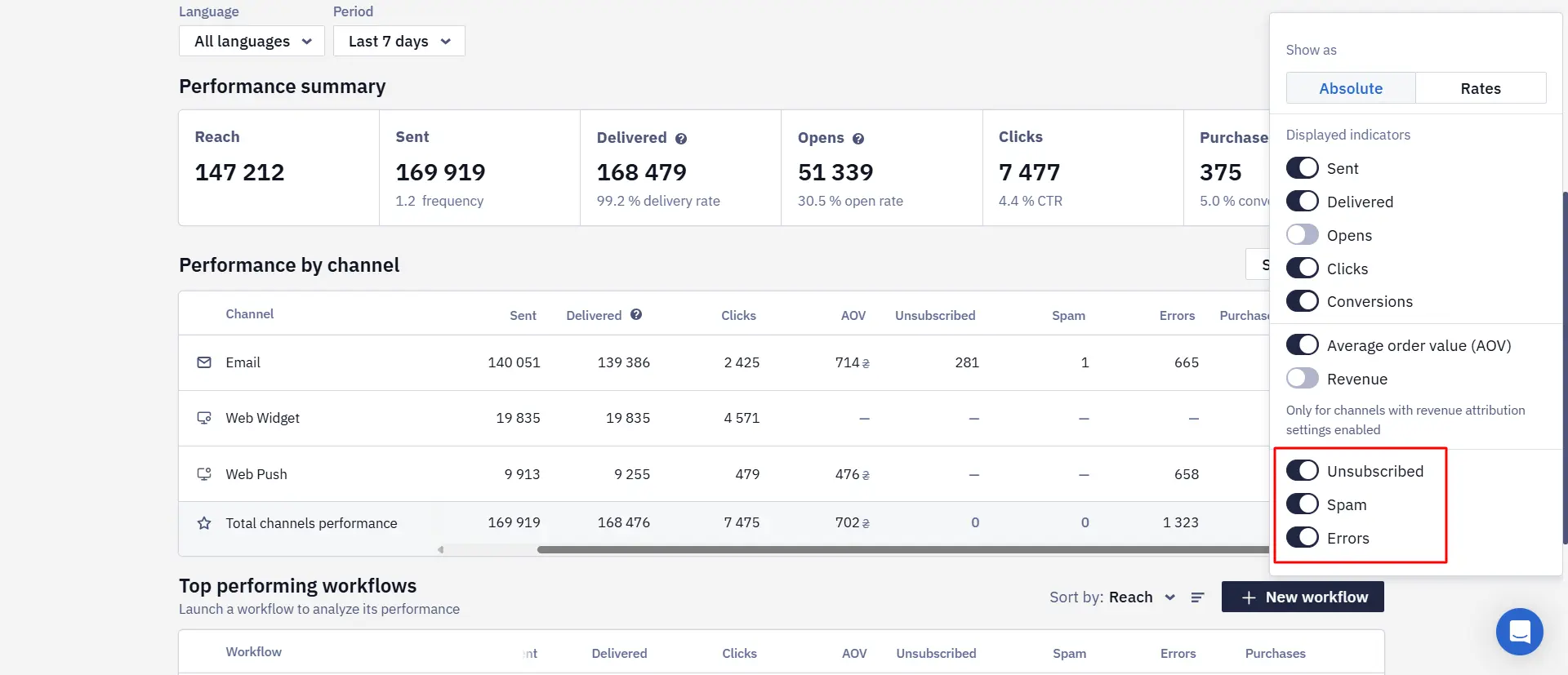
- Percentages: Unsubscribe rate, Spam rate, Error rate.
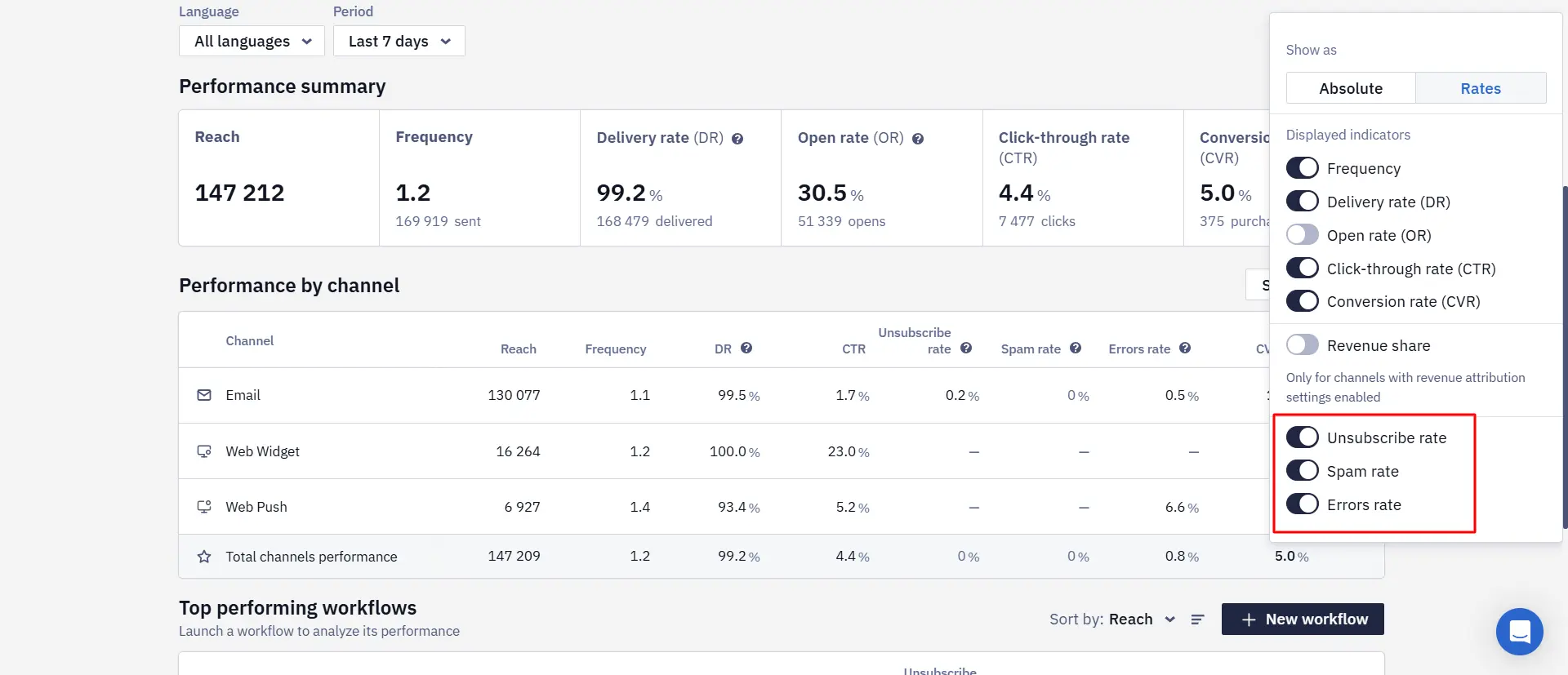
Unsubscribes and spam complaints are available for Email. Errors and the error rate can be viewed for all channels except widgets.
The metrics appear in the Channels and Top performing broadcasts blocks. Switch between Absolute and Rates, and filter the data by period.
This makes it easier to notice list-quality or delivery problems without opening a separate report for every campaign.
Learn more about the home page dashboard
App Inbox
Choosing the Platform for a Message
App Inbox messages are stored in the message center on your website or in the mobile app. In the additional message parameters, you can now pick one of three display options:
- Website and mobile app;
- Website only;
- Mobile app only.
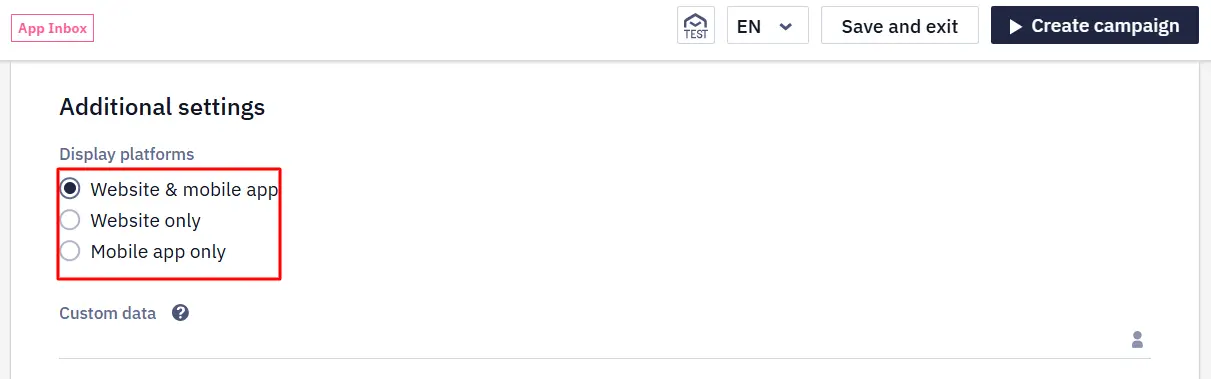
For new and existing messages, Website and mobile app is selected by default. The new setting helps you avoid duplicating a message where it isn't needed: for example, show an app feature tutorial only to mobile users, and an account-related notice only on the website.
Learn more about creating App Inbox messages
Widgets
Page Transitions Based on Visitor Actions
Multi-page widgets can now send the visitor to a page depending on their action. This lets you build NPS surveys, quizzes, and progressive-discount mechanics without workarounds. For example, if the visitor declines the first offer, the next page can offer a bigger discount.
Two editor updates support this:
- The Open widget page action gets a Require fields toggle. Previously, the form was always validated before moving to the next page; now you can turn the check off so the visitor can continue without filling in all the fields — for example, in a progressive-discount flow.
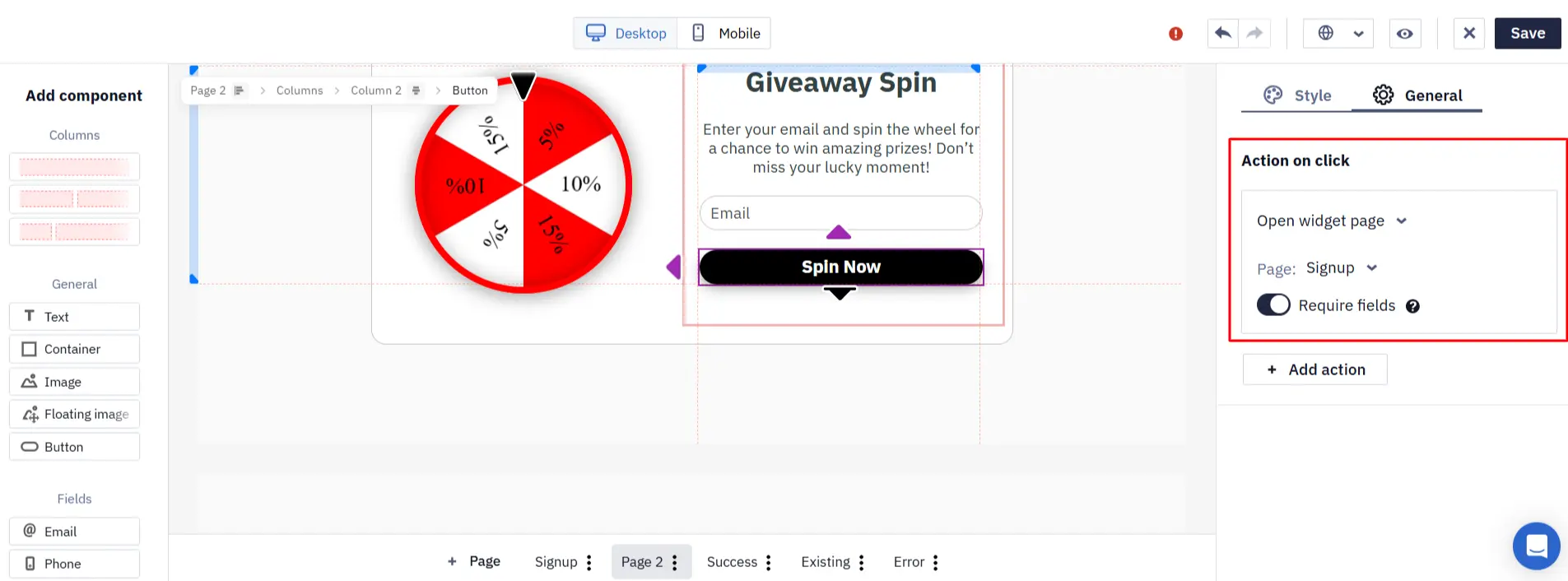
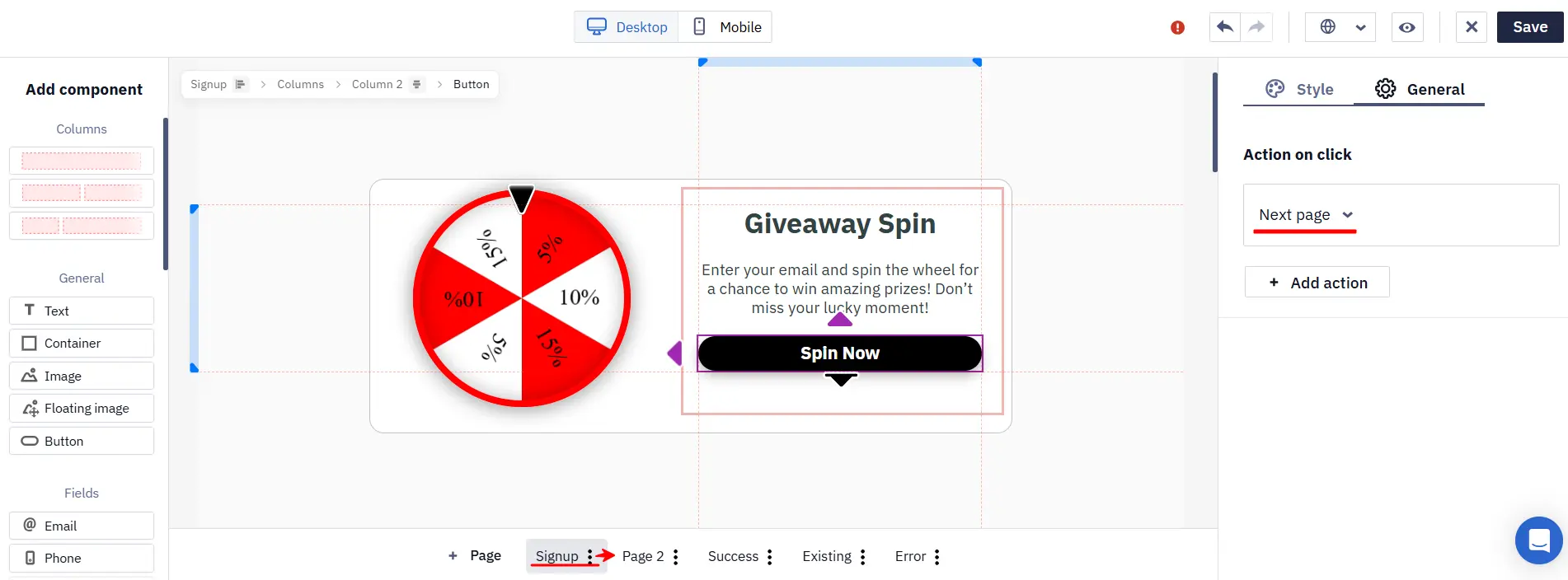
- The editor shows each button's role in the flow: on intermediate pages, the action is called Next page, and where the form data is actually sent — Submit form. This makes it immediately clear at which step the form will be sent.
Learn more about actions after form submission
Segmentation
Separate Address and Current-Location Fields
In the segment condition builder, the City, Region, and Country fields now specify their data source — the contact's address or their current location. For example, you can set separate City (Address) and City (Location) conditions.
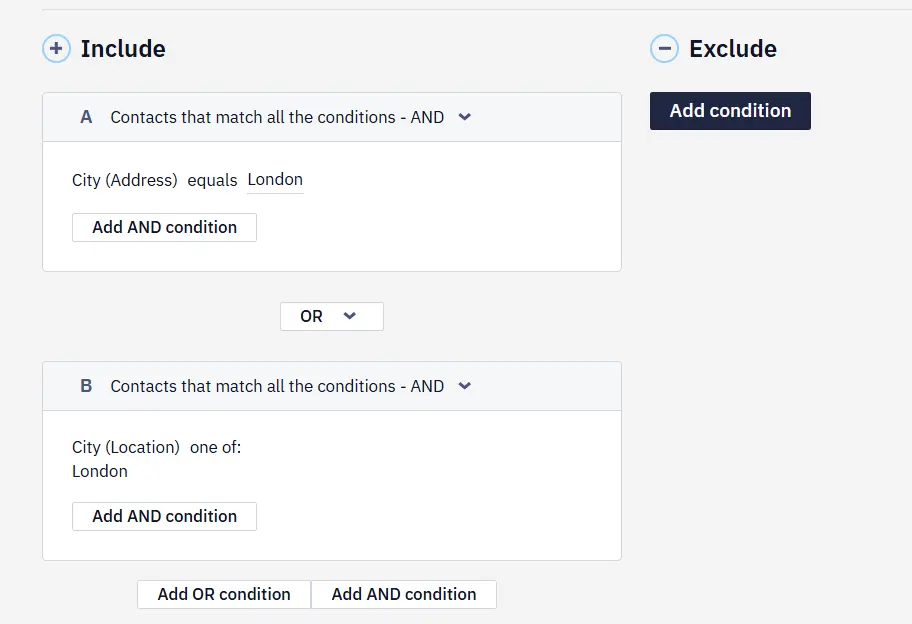
Address data usually comes from the contact card or an import, while location data can be detected from user activity. Clear names help you pick the right source and avoid building a segment on the wrong same-named field.
API and Integrations
OAuth 2.0 Client Credentials for HTTP Data Sources
Through an HTTP data source, Yespo pulls data from an external system to insert into messages or pass along during workflow execution. For such a connection, you can now select the OAuth 2.0 authorization type with the Client credentials grant.
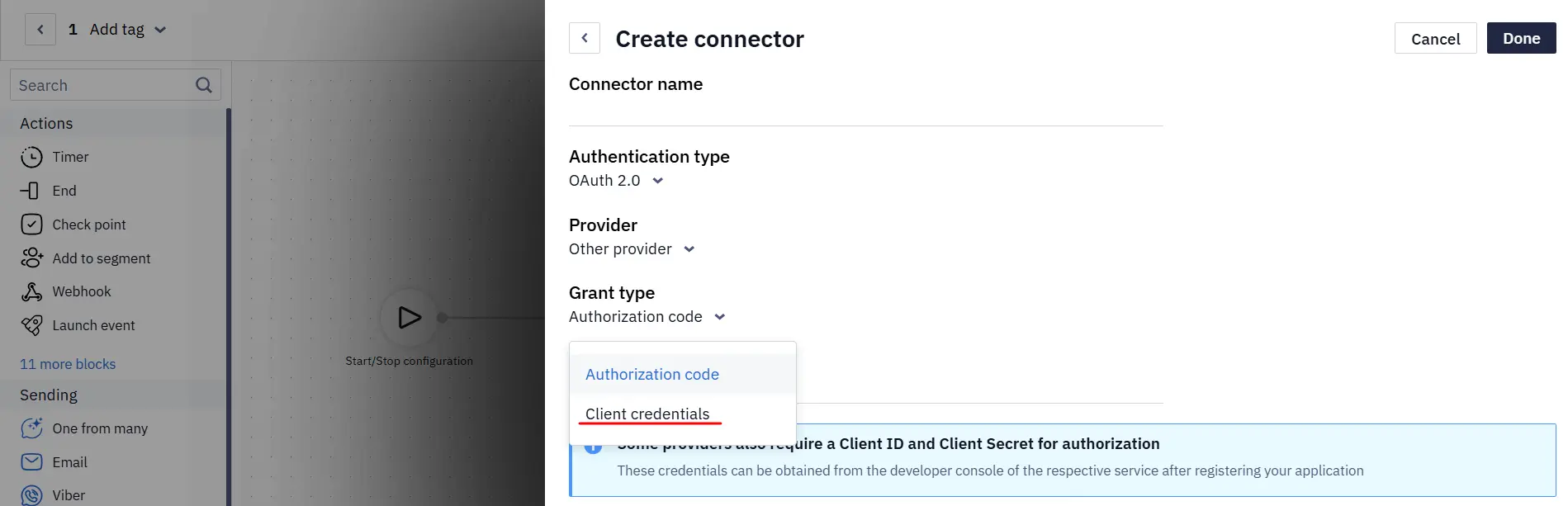
Specify the Token URL, Client ID, Client Secret, and, if needed, Scopes. Yespo obtains the token itself, passes it in the Authorization: Bearer header, and requests a new one when it expires. No manual sign-in or consent screens are needed.
This flow suits server-to-server integrations without user involvement, including Microsoft Entra ID.
Learn more about connecting an HTTP request
All ISO 639-1 Language Codes
Multilingual messages and API requests now accept all valid two-letter ISO 639-1 language codes.
Learn more about contact language
A Single Variable Format for Additional Fields
In the additional field settings, variables are now displayed in the Velocity format already used in the message editors: for example, ${list.name} instead of %LIST.NAME%.
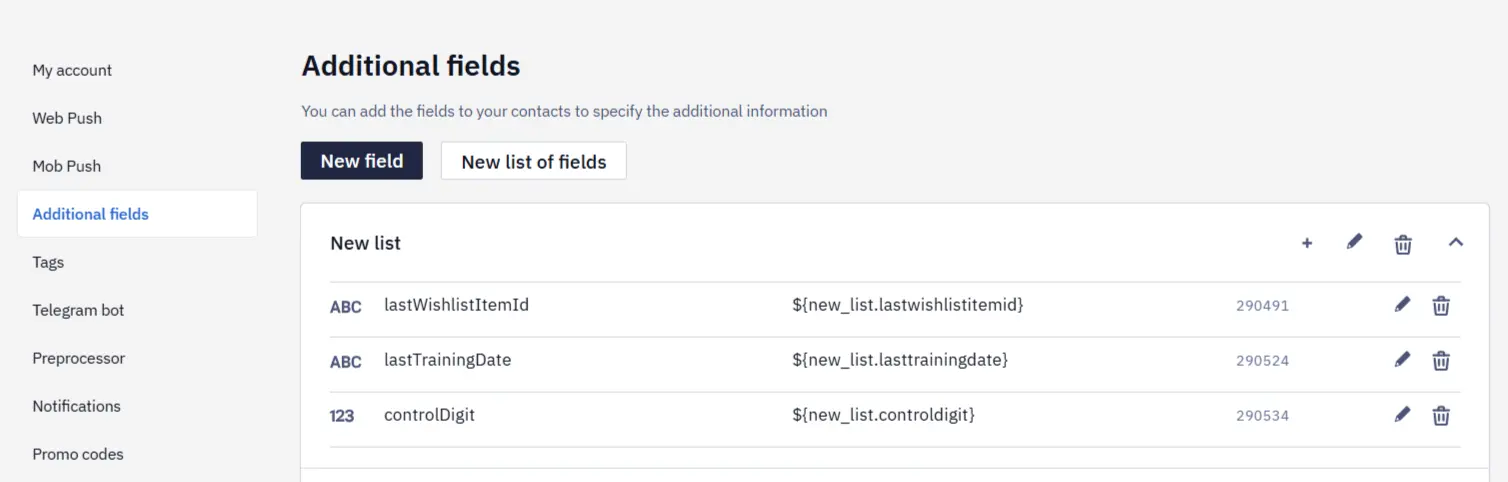
If a key contains Cyrillic characters or consists only of digits, the system shows the safe ${data.get('KEY')} variant. A single syntax makes it easier to copy variables into messages and reduces format-mismatch mistakes.
Learn more about additional fields