Content
11 August 2026
589
10 min
5.00

Yespo Updates for July 2026

Natalie Ustymenko
Content
The main update for July is the open Yespo AI plugin for Claude and OpenAI Codex. It lets you work with platform data and tools through MCP.
You can also:
- optimize messages automatically with One from Many while keeping every generated variant under review;
- build workflows faster by searching for blocks, copying start and stop settings, and editing messages without leaving the workflow editor;
- segment contacts by country and market and personalize In-App messages and widgets;
- automate more work with recommendation data sources and API improvements.
You can review the June updates in the previous digest; the latest SDK versions are available in the release notes.
Integrating Yespo with AI Agents
The open Yespo AI plugin includes ready-to-use instructions for editing emails, checking deliverability setup, and analyzing campaigns and events. You can connect it to Claude and OpenAI Codex through MCP — a standard that lets an AI agent securely access Yespo data and tools. This makes it possible to handle routine tasks in a conversation with the agent without manually transferring data between services.
Learn more in Integrating Yespo with AI Agents
Workflows
Automated Optimization for the One from Many Block
The One from Many block automatically distributes contacts among several message variants to identify the best-performing option.
It can now generate new variants for each group, maintain the configured number of versions, and stop underperforming ones. This reduces manual work on new versions and helps improve campaign performance over time.
Before the next optimization cycle, you must accept or reject every generated message. While at least one variant is awaiting review, the block is highlighted in the workflow editor, and optimization remains paused.
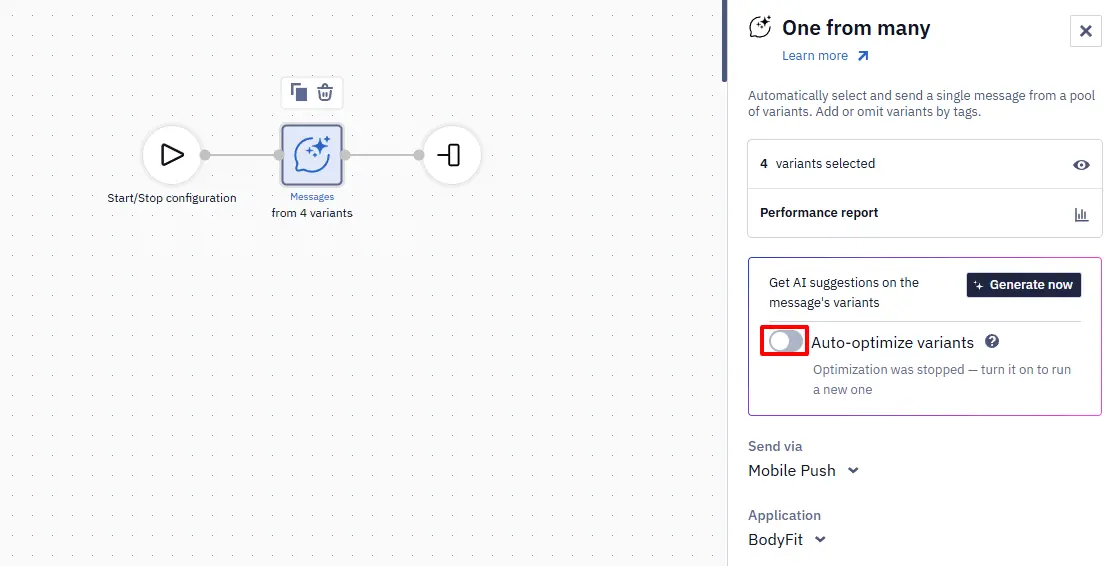
Learn more in Using One from Many Message Block
Wait for a Status Update
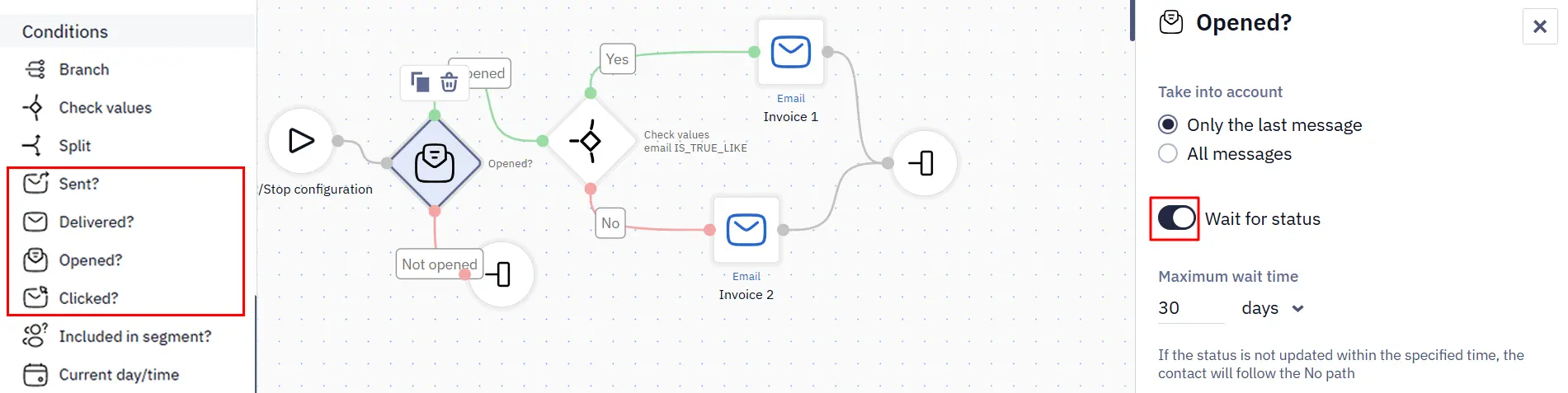
By default, the Sent?, Delivered?, Opened?, and Clicked? blocks check the status as soon as a contact reaches them. Enable Wait for status to keep the contact in the block until the required status appears or the configured wait time (up to 30 days) expires.
If the status appears earlier, the contact immediately follows the Yes branch. If the wait time expires, the contact follows No. This lets the workflow start the next action immediately after an open or click, without an additional timer block.
Copy Start and Stop Conditions
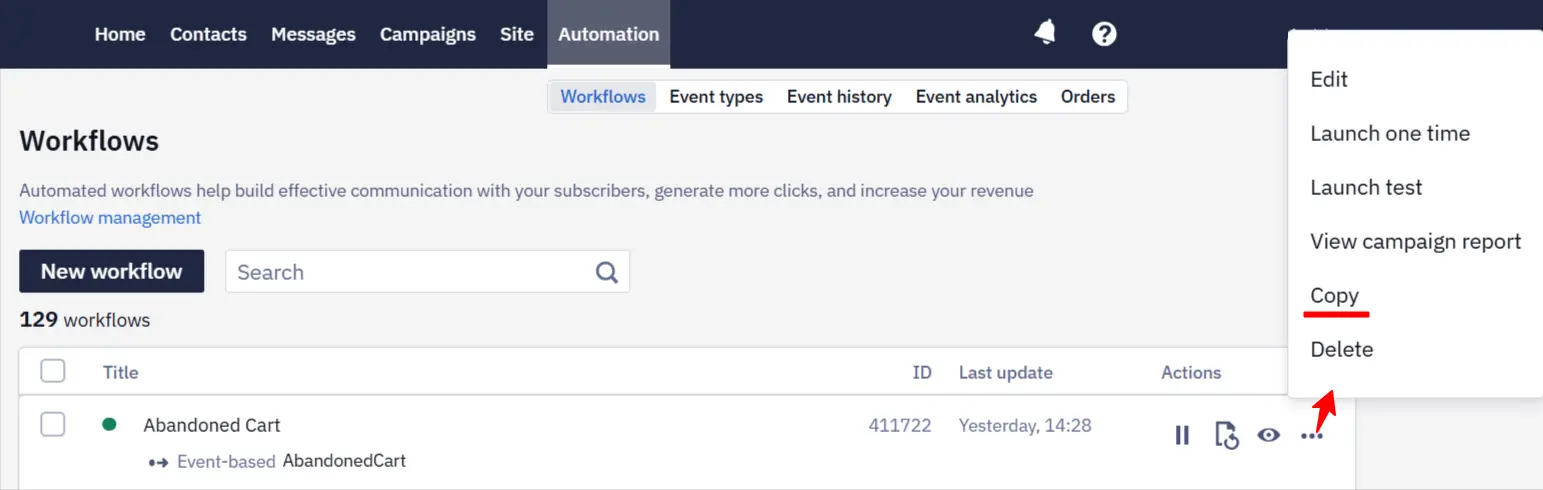
When you copy a workflow, its start and stop settings are now copied together with the blocks. You no longer need to configure this logic again in the workflow copy.
Duplicate Individual Rules
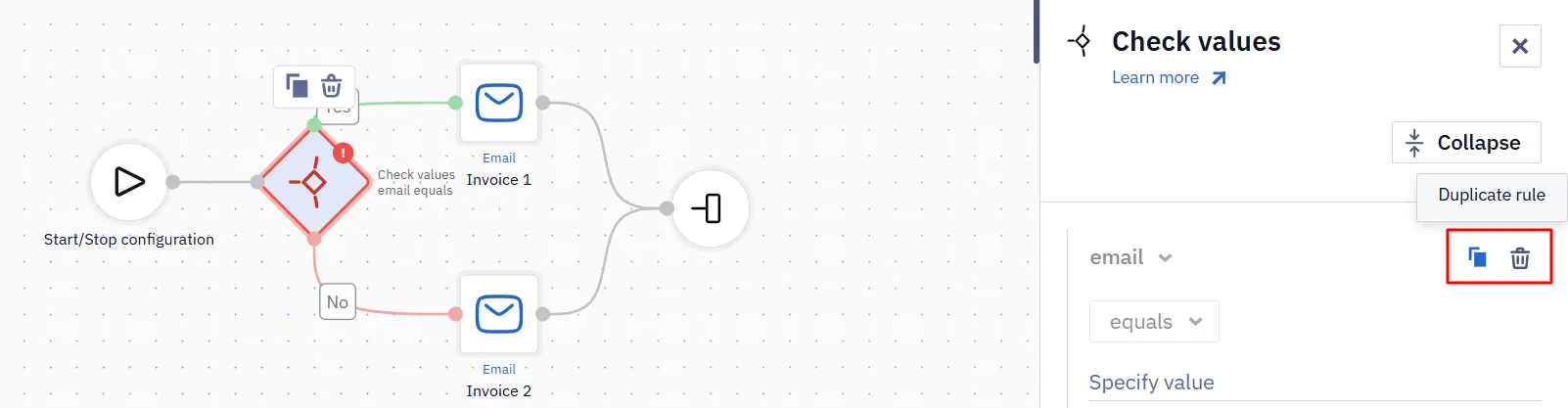
Each condition in the Branch and Check values blocks now has Duplicate rule and Delete rule actions. Copy a configured condition and change only the required values, rather than rebuilding the rule.
New Operators for Event Parameters
Event parameters in workflow start and stop conditions now support the is true and is false operators. They check the technical true and false values without requiring you to enter a comparison value. For example, a workflow can start or stop based on the isFirst parameter. The equals, does not equal, is set, and is empty operators remain available for these parameters.
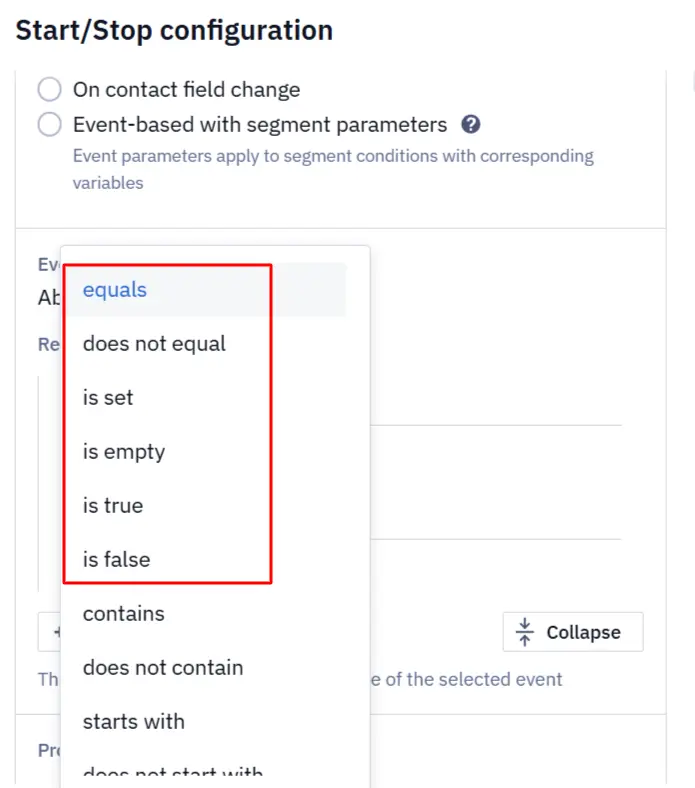
Learn more in Configuring Workflow Start/Stop Conditions
Create and Edit Messages in a Workflow
Email and Mobile Push messages can now be created and edited directly in the workflow editor. Change the message name, subject or title, and content without losing the workflow context.
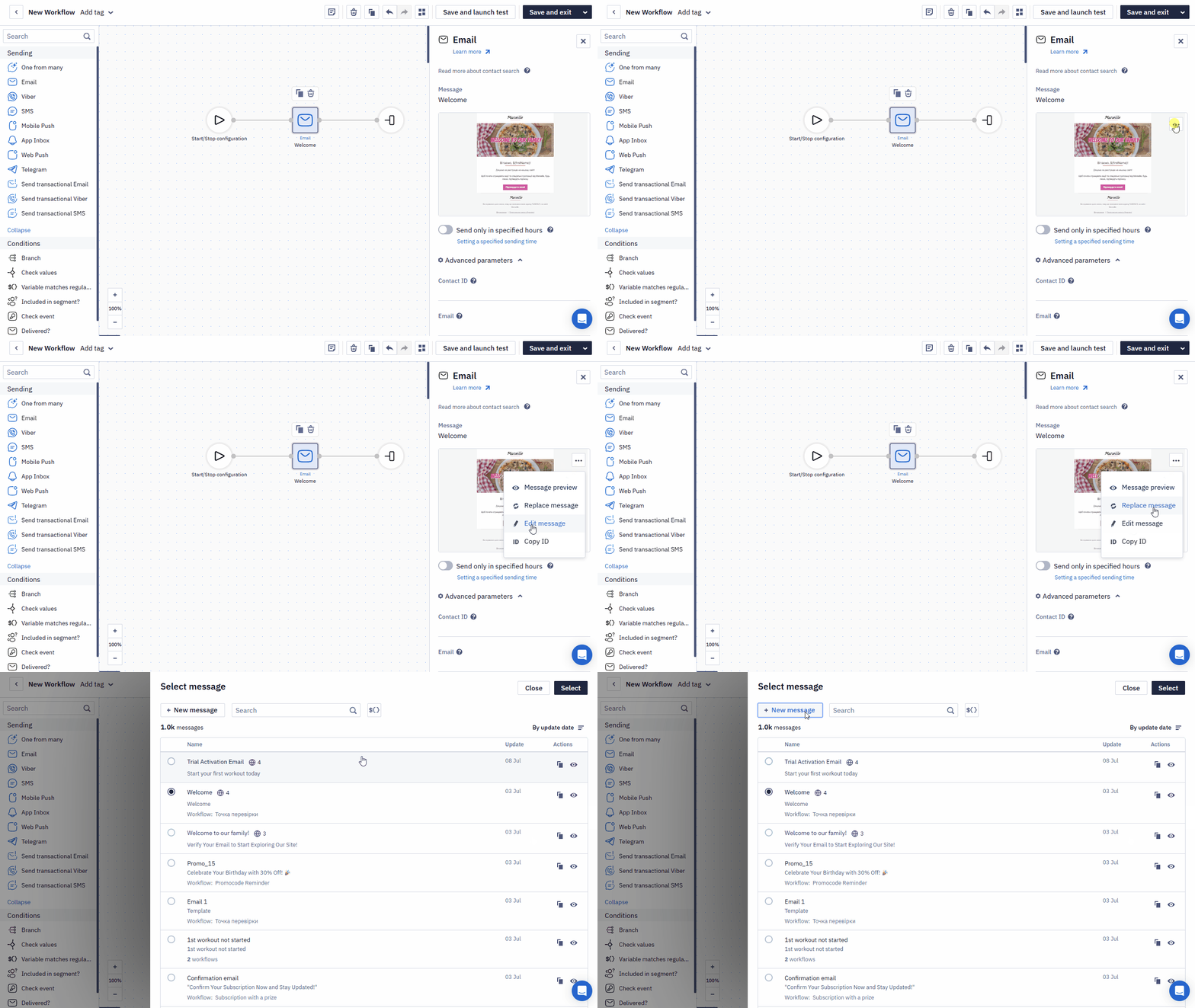
Search for Blocks
A search field is now available at the top of the block panel. Search is case-insensitive, supports partial matches, and helps you quickly find actions, conditions, and messaging channels by name.
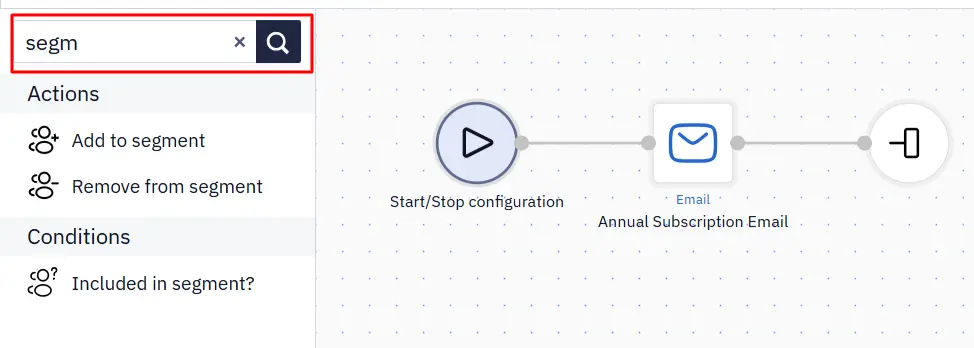
View Block Settings in Launch History
Workflow launch history now shows the configuration of every block. This makes it easier to verify workflow logic and analyze previous launches without switching to edit mode.
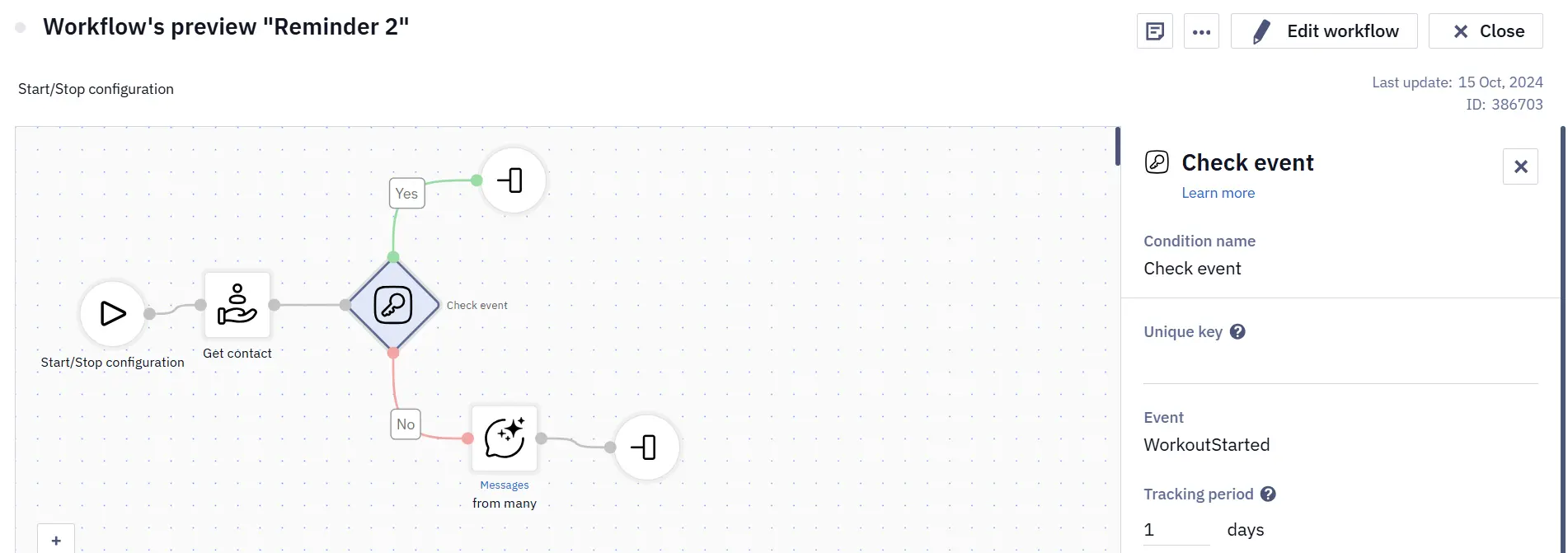
Learn more in Using Workflow Launch History
Test Webhooks With Contact and Event Data
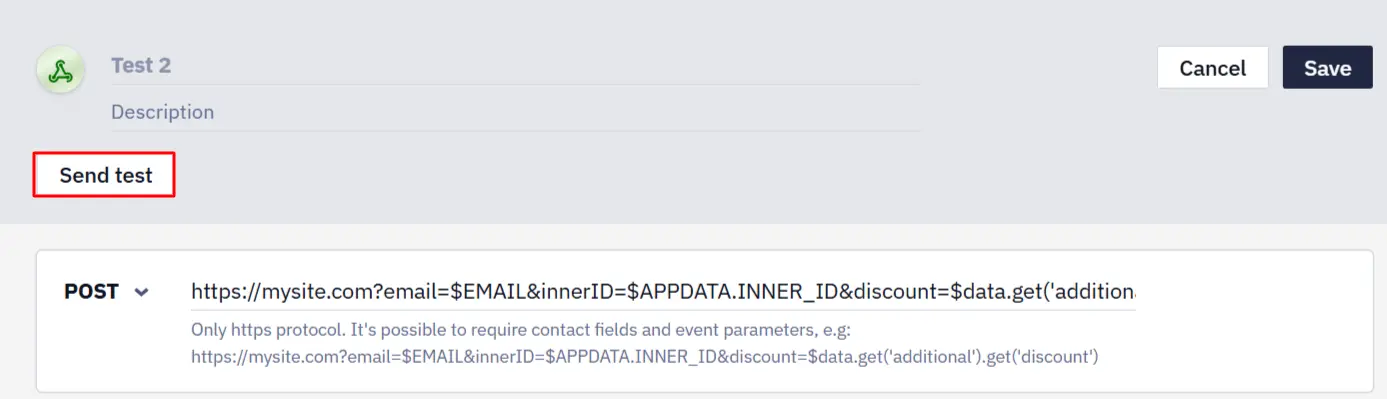
When testing a webhook — an automatic HTTP request from a workflow to an external service — you can now insert contact and event data using Velocity variables. Before launching the workflow, verify that the request sends the name, email address, additional contact fields, and event parameters correctly, and fix request errors in advance.
Events
Find Event Types by ID
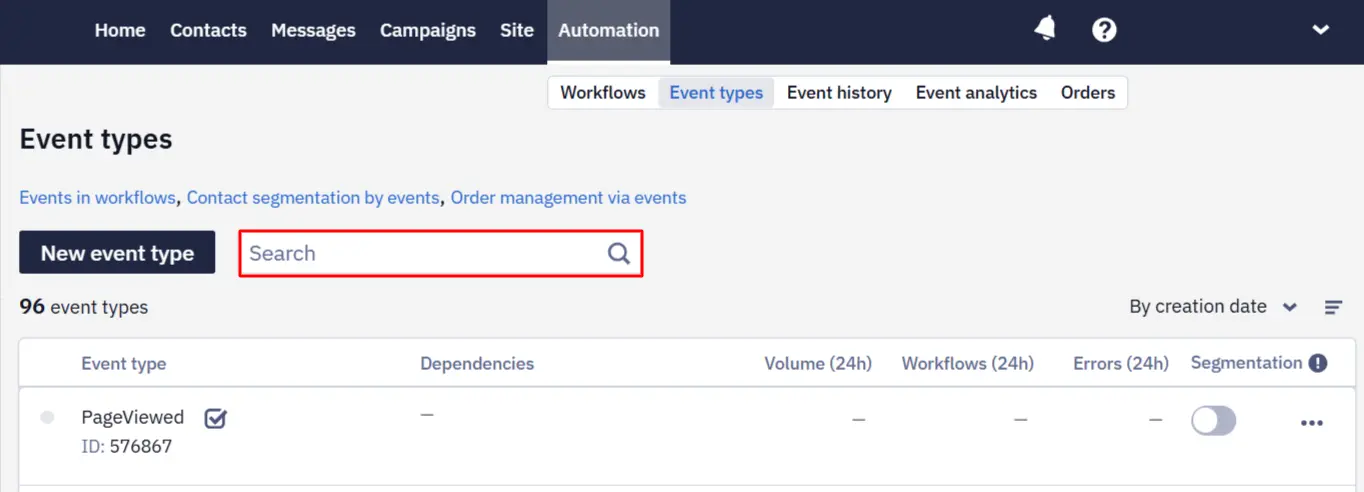
On Automation → Event types, you can now search for an event type by name or numeric ID — its unique number in Yespo. Search works both with and without the id: prefix. This helps you find the correct event type quickly even when the account contains several events with similar names.
Filter Events That Did Not Start a Workflow
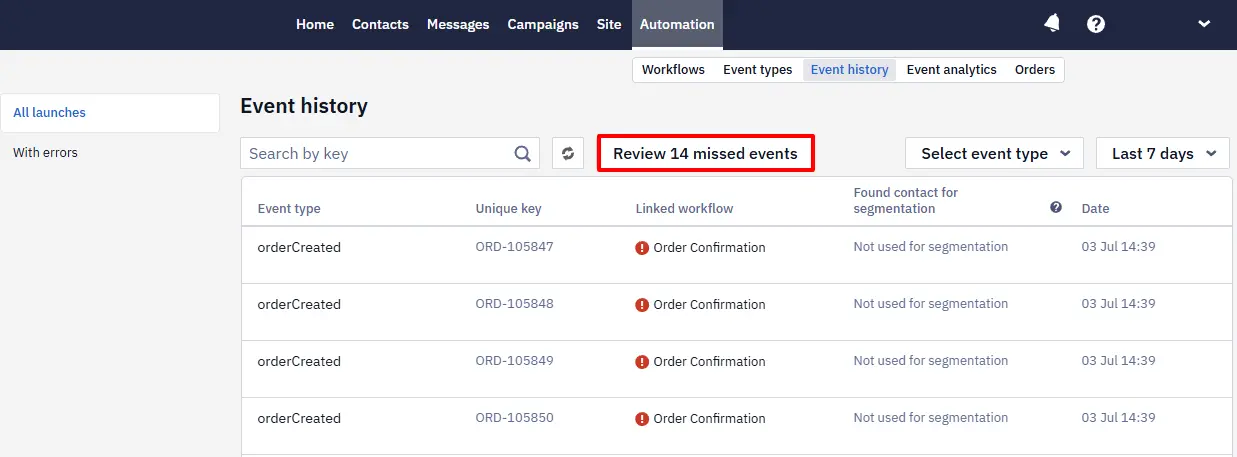
An event may fail to start a workflow when the contact, workflow-launch, or active-workflow limit is exceeded. Yespo saves such events for later processing. A banner on Automation → Event history shows their number. Select Review missed events to open the list. Use the All reasons filter to select a specific exceeded limit; after resolving it, select the required events and process them again. Events older than 30 days are removed from the list automatically.
Segmentation and Recommendations
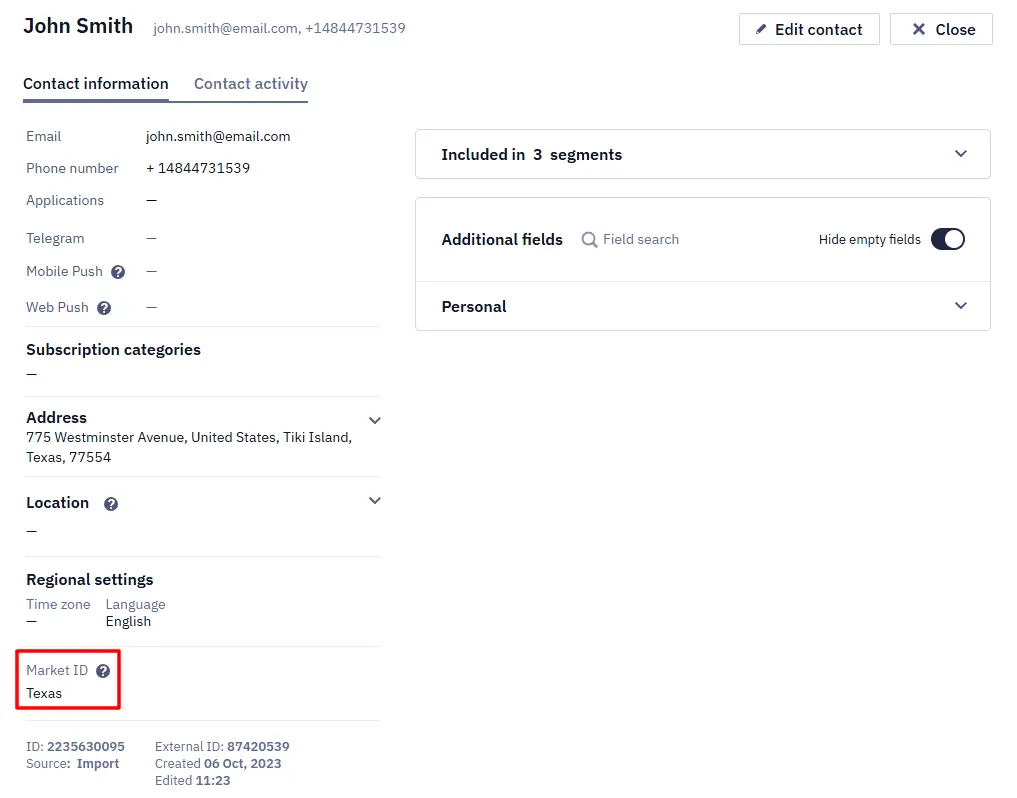
Segment Contacts by Country and Market
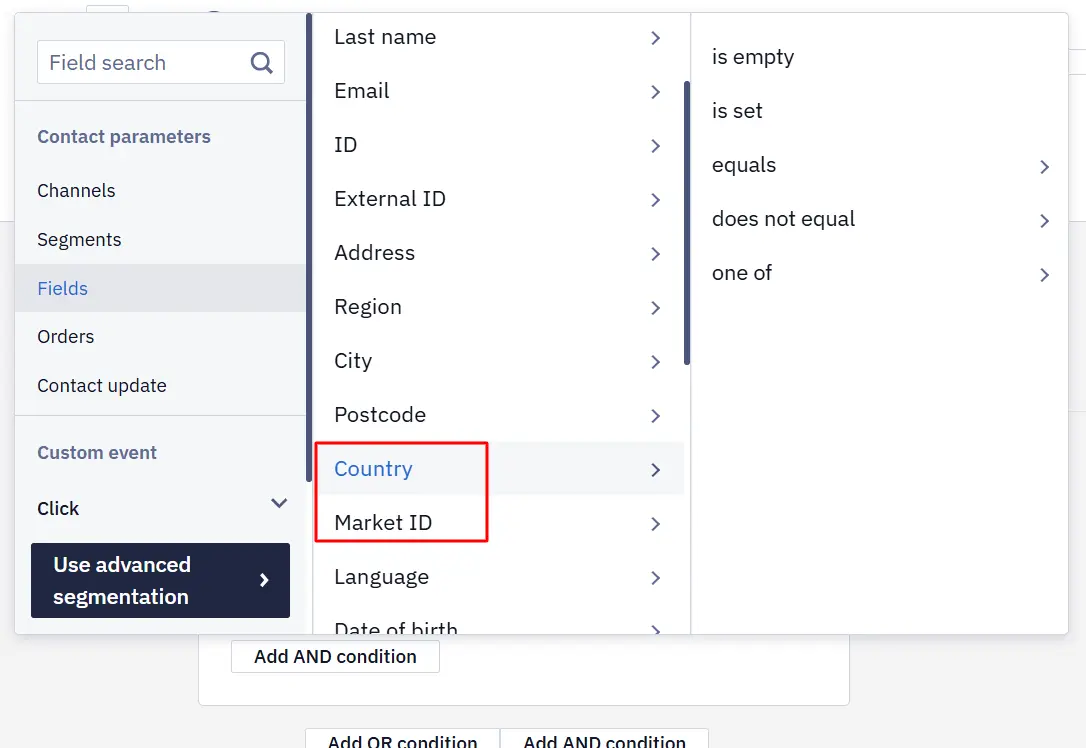
A dynamic segment updates automatically according to its conditions. In the dynamic segment builder, go to Contact parameters → Contact fields → Personal data. Two new fields are available: Country and Market ID. You can search for a country value. Both fields support is empty, is not empty, equals, does not equal, and one of. Use these conditions to create separate audiences for different countries and markets and launch localized campaigns.
Learn more in Creating Dynamic Segment
Market-Aware Recommendations
A market feed is a separate product catalog for a particular country or market. If a market feed is configured and a contact has a Market ID, Yespo uses this identifier when generating product recommendations for broadcast, single, and test sends. Contacts receive offers with the assortment and prices relevant to their market. Contacts without a Market ID continue to use the previous recommendation logic.
Learn more in Importing a Product Feed
Automatic Creation of Predefined Data Sources
When the Professional plan is activated and web tracking already records visitor activity, Yespo automatically creates the predefined data sources required for behavioral workflows. This reduces manual data setup and helps you launch common trigger-based workflows faster.
Email Editor
Improve Images With AI
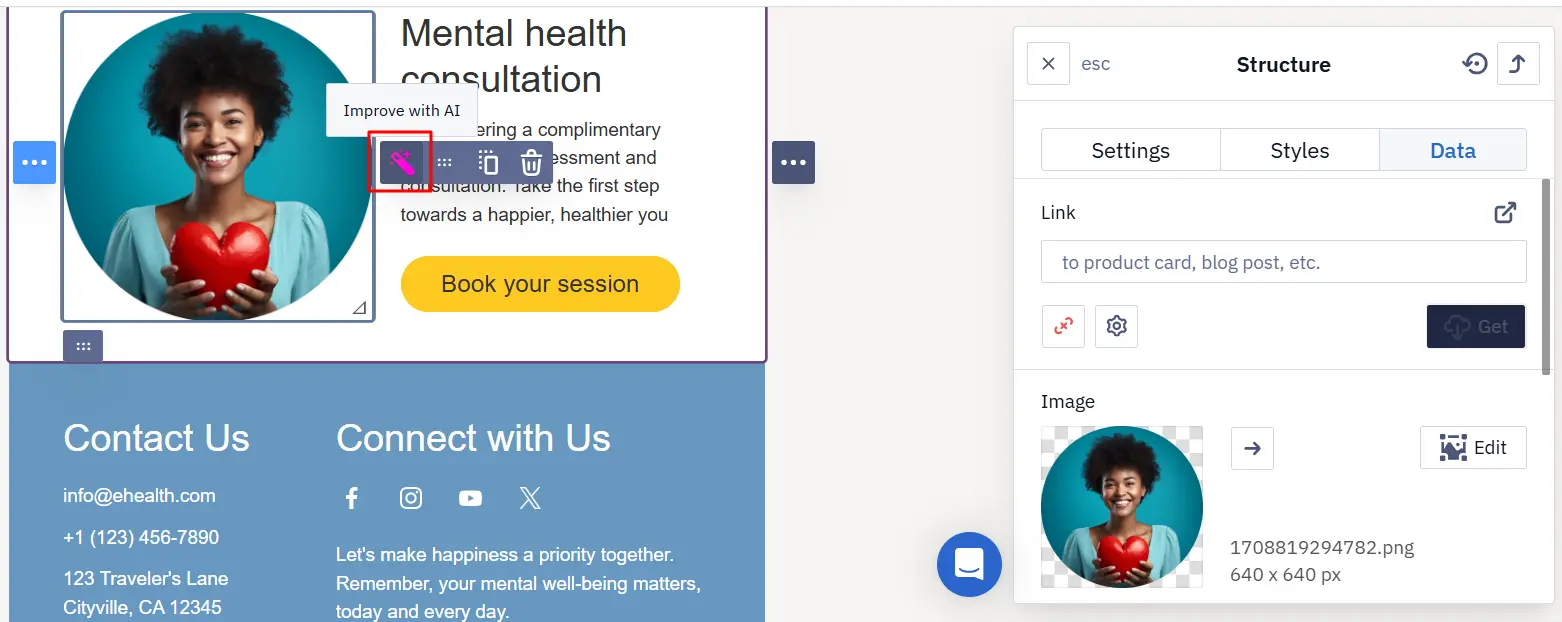
The email editor now includes an Improve with AI button for images. Select an image and click the magic-wand button to improve its quality automatically. You no longer need to export the file to a third-party service and upload it again.
Short Links in the Plain-Text Email Part
Yespo replaces long URLs with short links on a short-link domain or a connected custom domain to track clicks. Short-link processing now also covers URLs in the plain-text version of an email (text/plain), so clicks are tracked consistently in the HTML and plain-text versions.
In-App Messages
Custom Fonts
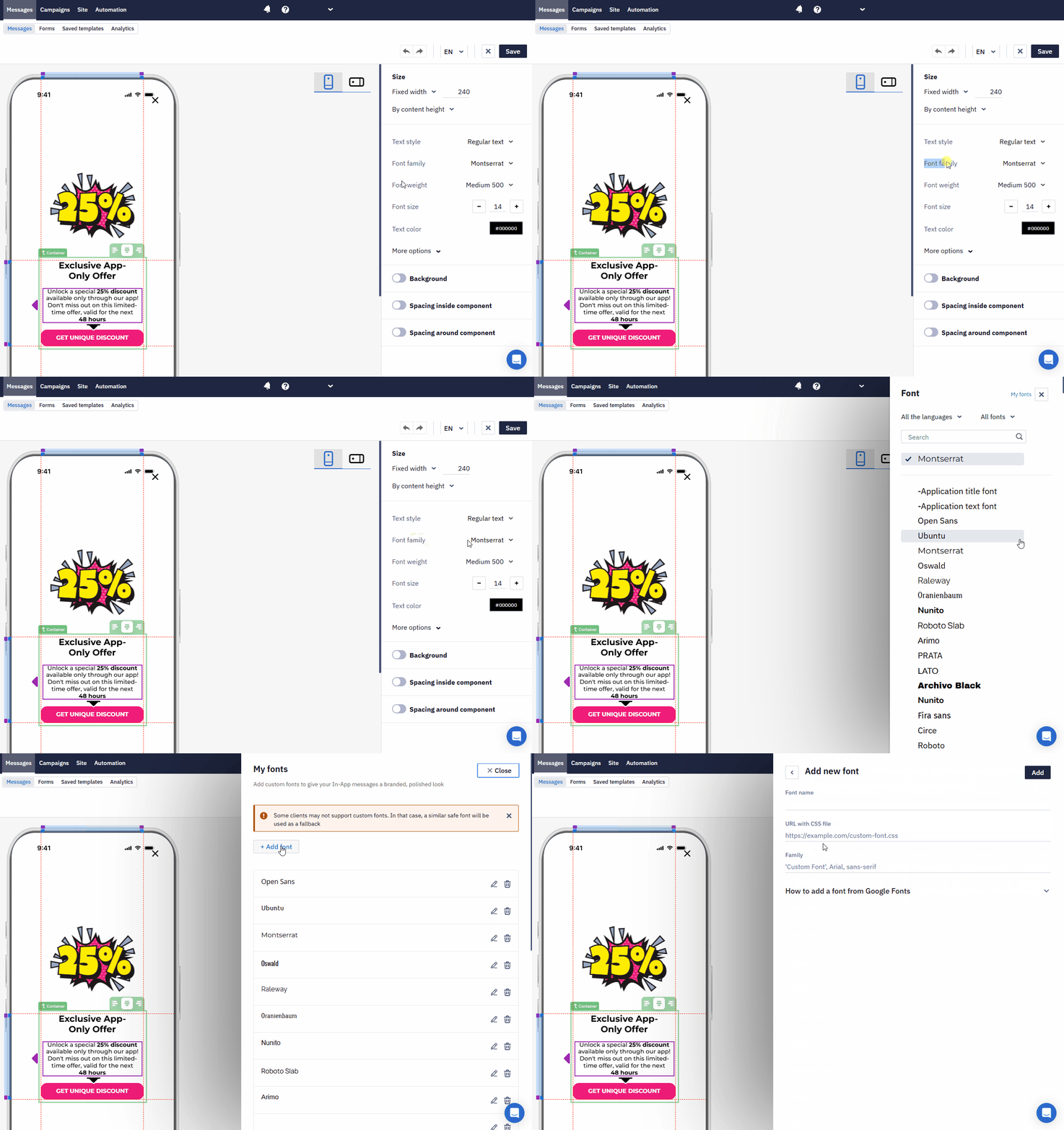
The In-App editor now includes My fonts. Upload and manage custom fonts, validate font file URLs, and apply brand typography without switching to the HTML editor. If a font cannot be loaded, the message falls back to a system font.
Learn more in Creating In-App Message
More Velocity Options
In-App messages opened after a user taps a linked Mobile Push now support more Velocity personalization options. Event data can be inserted with shorter variables such as $eventParam instead of a full path. The ${key|'altKey'} syntax provides a fallback key when the primary value is missing. Contact field names are now case-insensitive. This keeps templates simpler and helps prevent empty values and errors caused by inconsistent capitalization.
Widgets
Autofill Widget Fields
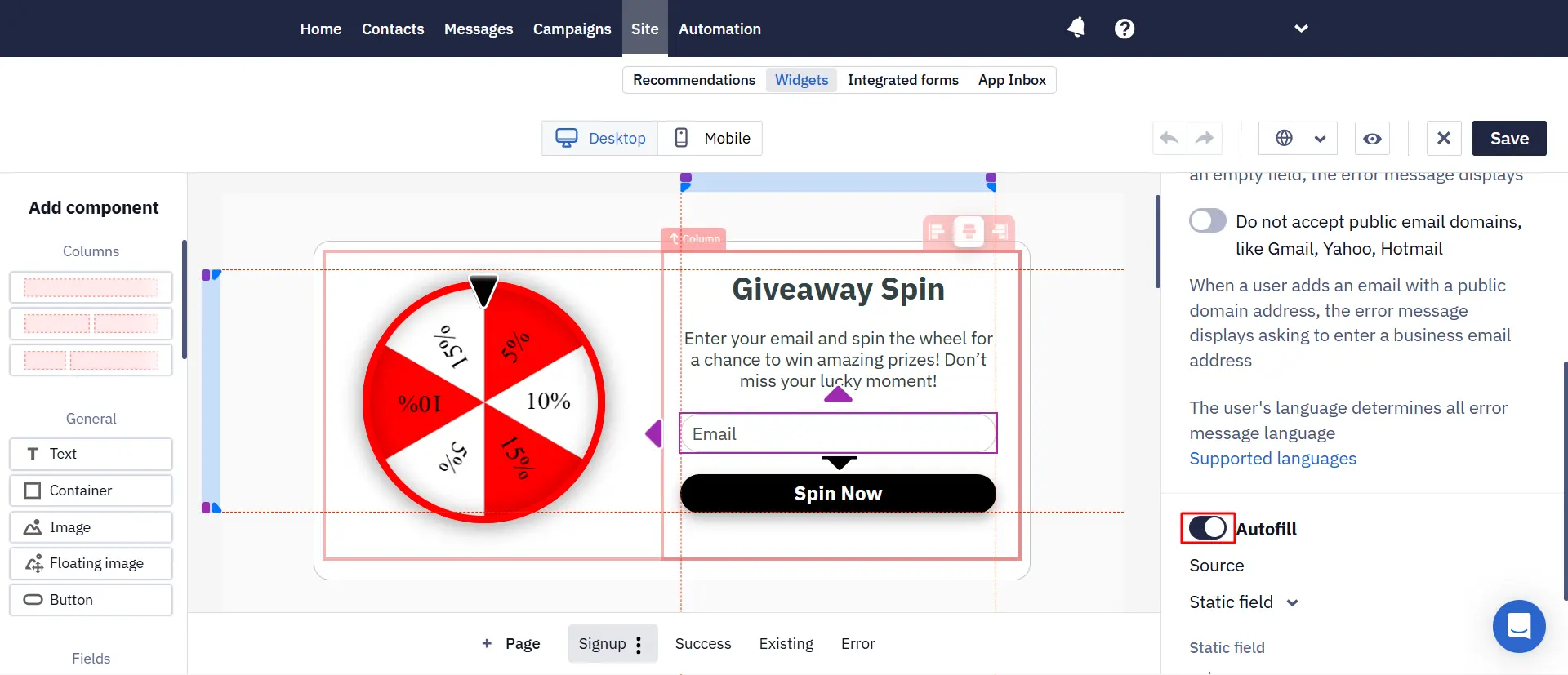
Widget fields can now be populated automatically with data the website already knows about a visitor. Use the page URL, JavaScript variables, browser local storage, cookies, or the website data layer. The form opens with known values already filled in, so visitors have fewer fields to complete.
Learn more in Substitution of Data from the Site in Widgets
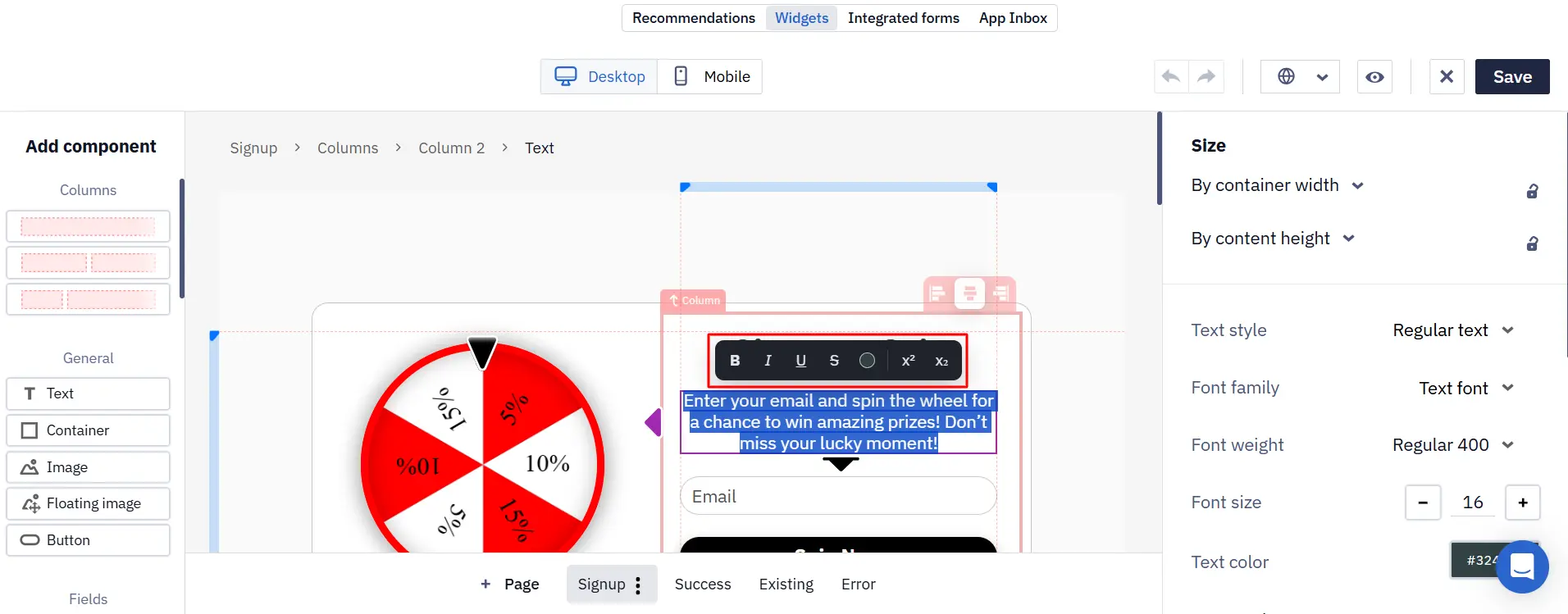
Format Text Directly in a Widget
You can now format widget text and change its color directly while editing. Styling individual fragments no longer requires opening additional settings.
API
Get Additional Contact Fields
The Get additional fields method returns additional contact fields in a convenient structure: ID, name, personalization key, type, allowed values, and validation rules. External integrations can read the custom-field schema more easily and format or validate contact data correctly.
Save an Email as a Template
The Add base Email message method now supports the boolean template parameter. Set it to true to save the email as a reusable template. If set to false or omitted, the email is created as a regular message in the general list. Integrations can create the required email type through the API without additional actions in the interface.