Bounced Email
One line can tell you a lot about your sending health. When a message can’t reach its recipient, you’re looking at a bounce. Understanding why a bounced email happens – and how to react – keeps campaigns efficient and reputations safe.
What is a bounced email?
A bounced email represents an email message which mail servers reject during delivery, so they return it to the sender with an undeliverable status. The email system redirects the message to a different location instead of placing it in the inbox because it returns an SMTP error, which explains the reason for the failure. The system experiences permanent failure when users attempt to send messages to a nonexistent email address. The system becomes unavailable for brief periods when servers experience temporary outages.
For teams running email marketing, a bounced email isn’t just a technical detail. Every bounce raises your bounce rate (the percentage of sends that fail) and influences domain reputation and sender reputation. If providers see lots of invalid or unreachable recipients, they assume you’re careless or spamming, and more of your future messages get routed to the spam folder. So a bounced email is both a delivery problem and a data-quality signal. Each bounced email is a dent in trust, so you want the count trending down.
Why do emails bounce: common reasons
The address is invalid or non-existent
The main reason emails bounce back is because of incorrect email addresses. The system faces three types of email address problems, which include typos and prank signups, bots, old imported lists that contain either invalid or non-existent email addresses. The receiving server performs a directory check, which results in an immediate message rejection because the mailbox does not exist. The system generates 5xx SMTP error codes, which include "550 user unknown" when these failures occur, and the system considers them permanent.
The email account is deactivated
People abandon inboxes, switch providers, or lose access after leaving a company. A deactivated email account may still look “real” in your database, but on the provider’s side it’s gone. Messages sent to that inbox get rejected with errors indicating the account is disabled or no longer accepts mail. This is another permanent scenario and a reliable source of repeated bounces if you don’t clean it up.
The mailbox is full
Sometimes nothing is wrong with the address – the mailbox is just out of space. Providers return “quota exceeded” or “full mailbox” notices and may keep the account active but unable to receive mail. This produces soft email bounces because the situation can change once the user clears storage. If the mailbox stays full for a long time, though, the soft bounce can become a consistent issue.
The recipient server is down, busy, or rate-limiting
Mail servers have bad days too. A provider can be temporarily offline for maintenance, overloaded, or throttling incoming traffic. Your email service provider (ESP) will normally retry delivery for hours or days. If the server doesn’t recover in time, your message becomes a bounced email marked as a soft bounce. You can’t fix the other side, but seeing patterns by domain helps you time or pace sends better.
Spam filters or blocklists stopped your message
A bounced email can also be a judgment call. If your content trips a spam filter – maybe the copy looks too aggressive, links seem shady, or your HTML feels broken – the provider may block the send. You might see errors about “blocked email,” “policy violation,” or mentions of an email blacklist. This kind of bounce often points to weaker email deliverability, and it can snowball if ignored.
Authentication failures (SPF, DKIM, DMARC)
The receiving servers perform a check to determine if you have permission to send emails which represent your domain. Your messages will face rejection when SPF or DKIM records are absent or incorrect, or when DMARC policy demands exact alignment. The system produces an email bounce with an SMTP error, which shows authentication, alignment or spoofing protection issues. The security measures which defend recipients require you to establish a specific technical system.
Message size or attachment limits
Large images, bulky PDFs, or heavy template code can exceed provider limits. When the size cap is hit, servers return an error and refuse the message. Depending on the policy, this can be a soft bounce (try again smaller) or a hard bounce (provider never accepts oversized mail). If bounces spike after you add richer media, size is a quiet suspect.
Types of bounced emails: hard vs soft bounces
Hard Bounce
A hard bounce is a permanent delivery failure. The recipient address is invalid, non-existent, or permanently unavailable due to a deactivated email account. The receiving server clearly signals “do not retry.” Hard bounce events should be acted on fast because sending again wastes money, pushes up bounce rate, and damages domain reputation. Over time, too many hard email bounces can get you throttled or blocked by major providers.
Soft Bounce
A soft bounce doesn't last long. There is an email address, but delivery is not possible right now because the mailbox is full, the server is down, the spam filter is temporarily blocking it, or the rate is too high. Your ESP usually tries again on its own. A single soft bounce isn't a big deal, but if you keep getting soft bounces from the same person, it means they aren't reachable or aren't interested. If that pattern keeps up, it's better to stop sending mail for a while so that temporary problems don't turn into permanent bounces.
How to identify bounced emails

Most ESP dashboards show bounced email counts per campaign along with a log of affected recipients. You’ll see the recipient address, the bounce type, and the server’s diagnostic message or SMTP error. As a simple rule, 5xx codes mean hard bounce, while 4xx codes mean soft bounce.
If you send through custom infrastructure, look for bounce webhooks or delivery-status notifications. Parse fields such as “diagnostic_code,” “action,” and “status.” Tracking email bounces by provider and segment tells you whether the issue is list quality, sending reputation, or a one-off provider glitch.
How to handle bounced emails
Stop mailing hard bounces right away
As soon as you know for sure that a hard bounce has happened, block that contact. Most ESPs automatically suppress, but make sure your settings are correct. Sending to hard bounces over and over again makes your overall bounces go up and shows that you don't have good hygiene. Suppression protects the sender's reputation and makes future campaigns healthier.
Let soft bounces retry, but set a limit
Soft bounces deserve patience. Let the ESP retry for a while. Still, define a threshold – for instance, three or four consecutive soft bounces – after which you pause that contact. This balances empathy for temporary issues with the need to keep a good bounce rate.
Verify addresses at the door
Email verification at signup (or before importing lists) catches obvious mistakes and risky domains. A verifier checks syntax, domain validity, and whether the mailbox appears to exist, without sending a full email marketing campaign. Cutting bad addresses early is one of the fastest ways to reduce bounces.
Repair deliverability and reputation problems
If you notice many “blocked email” or policy rejections, investigate your setup. Ensure SPF, DKIM, and DMARC are aligned. Check for appearance on an email blacklist. Review sending volume and content quality. Healthy engagement – steady opens and clicks with low complaints – improves email deliverability and lowers email bounces over time.
Re-engage or sunset shaky segments
Sometimes a bounce is a symptom of fading interest. If soft bounces cluster among inactive subscribers, run a re-engagement flow asking them to confirm interest or update preferences. If they ignore it, suppress them. A smaller list that cares beats a bigger list full of bounces.
Should you delete bounced emails: ongoing list management and email compliance
For hard bounces, deletion or permanent suppression is usually correct. For soft bounces, full deletion is rarely needed. Keep the record and consent trail, but stop sending until the address recovers or the user re-verifies. This respects email compliance requirements while avoiding pointless retries.
Think of bounces as historical data. If you delete everything, you lose insight into where signups go wrong or which domains are rejecting you. A maintained suppression list plus regular reviews gives you control without erasing the story.
How to prevent bounced emails
Maintain list hygiene
List hygiene means continuous cleanup. Remove hard bounces quickly, suppress chronic soft bounces, and watch trends in email bounces after every send. This habit is the backbone of a stable email strategy, especially for high-volume newsletter marketing.
Implement double opt-in
Double opt-in asks new subscribers to confirm their email address by clicking a link. It filters out bots, typos, and people who don’t really want your mail. The result is fewer bounces and stronger engagement from the start.

Monitor deliverability metrics
Track bounce rate, opens, clicks, spam complaints, and provider-level performance. If a particular campaign causes a jump in bounced email numbers, compare what changed – audience, frequency, subject lines, or template. Early tweaks are cheaper than later damage control.
Remove or reconfirm inactive emails
Subscribers who never open are more likely to become unreachable. After a few months of inactivity, send a reconfirmation message. If there’s no response, suppress the contact. This prevents future bounces and keeps domain reputation sharp.
Warm up domains and avoid sudden volume spikes
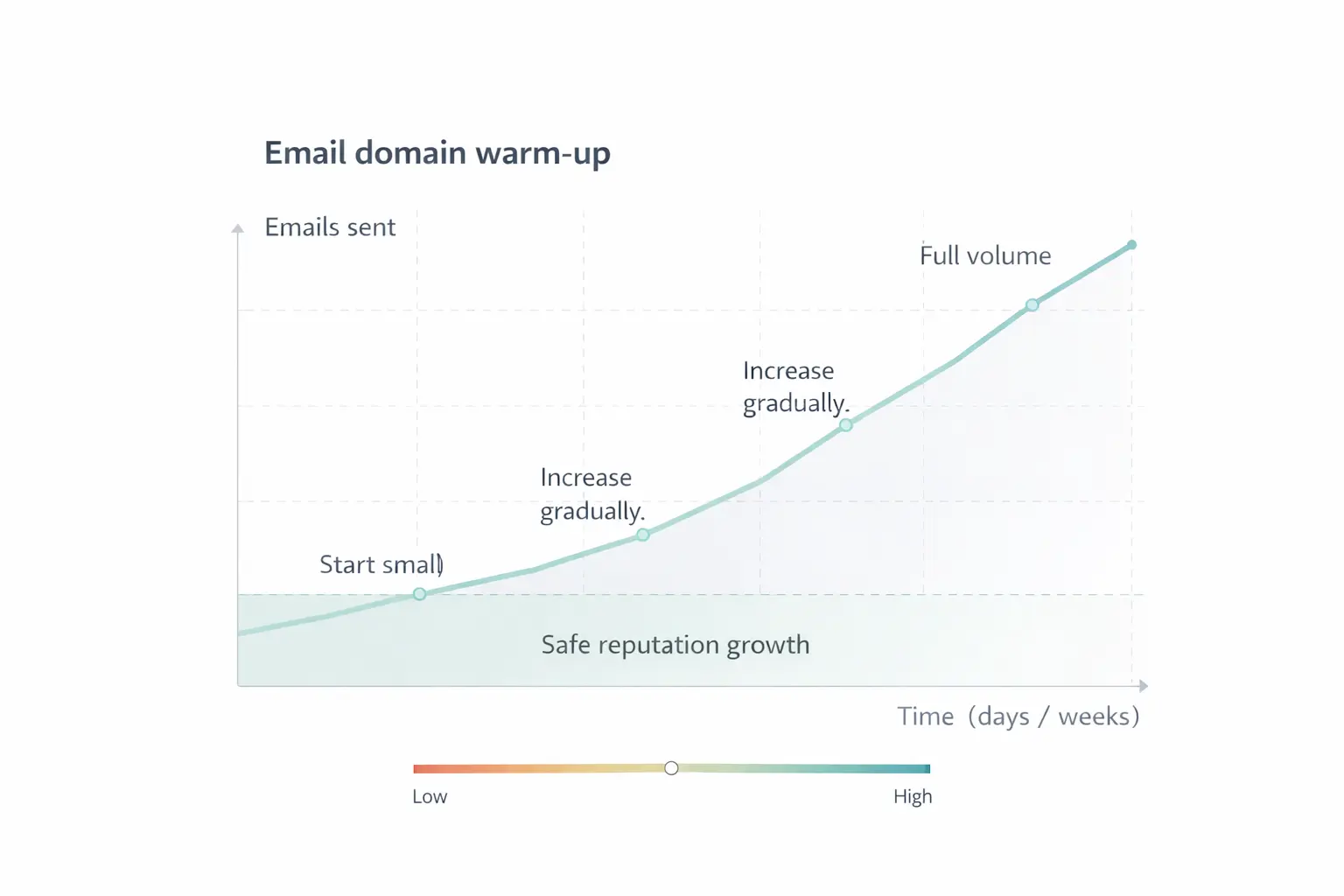
When launching a new sending domain or IP, ramp up slowly. Abrupt volume increases can trigger spam filters and lead to immediate “email bounced” errors even for real subscribers. A warm-up plan proves legitimacy to providers.
Keep content honest and technically clean
Clear branding, sensible copy, and well-tested templates reduce the chance of filter-based blocks. Avoid link overload, broken HTML, or misleading subject lines. Trustworthy content earns better inbox placement and fewer bounced email events.
Final Thoughts
A bounced email is feedback in disguise. Handle hard-bounce issues quickly, stay calm yet attentive with soft-bounce patterns, and keep your list clean. When you treat email bounces as useful signals, your campaigns land more often, and your metrics look a whole lot better.
Join Our Blog Newsletter!
Stay updated with our latest email marketing tips, product news and case studies.
Terms in the same category
Popup (or widget) Online retail Customer Profile Repeat Purchase Rate Revenue Optimization